
Setting Up AI Phone Answering for a 5-Person Office
Key Takeaways
- ✓ Choose an AI phone provider based on your average client value - premium services for high-value clients, budget options for testing
- ✓ Keep phone scripts simple and conversational - avoid corporate jargon and long explanations
- ✓ Test thoroughly before going live - run scenarios, check integrations, and involve your entire team in testing
- ✓ Monitor performance daily for the first month and continuously improve based on real customer interactions
- ✓ Set up proper escalation rules so complex or frustrated callers always reach human staff members
Last month, I walked into a Highland Park insurance office. The owner looked stressed. "We're missing calls," she said. "My team spends half their day answering phones. But when they're all busy, calls go to voicemail. We're losing clients."
Sound familiar? You have five people. Maybe six. Everyone wears multiple hats. Your receptionist also handles claims. Your agent also answers phones. When everyone's busy, your phone rings into the void.
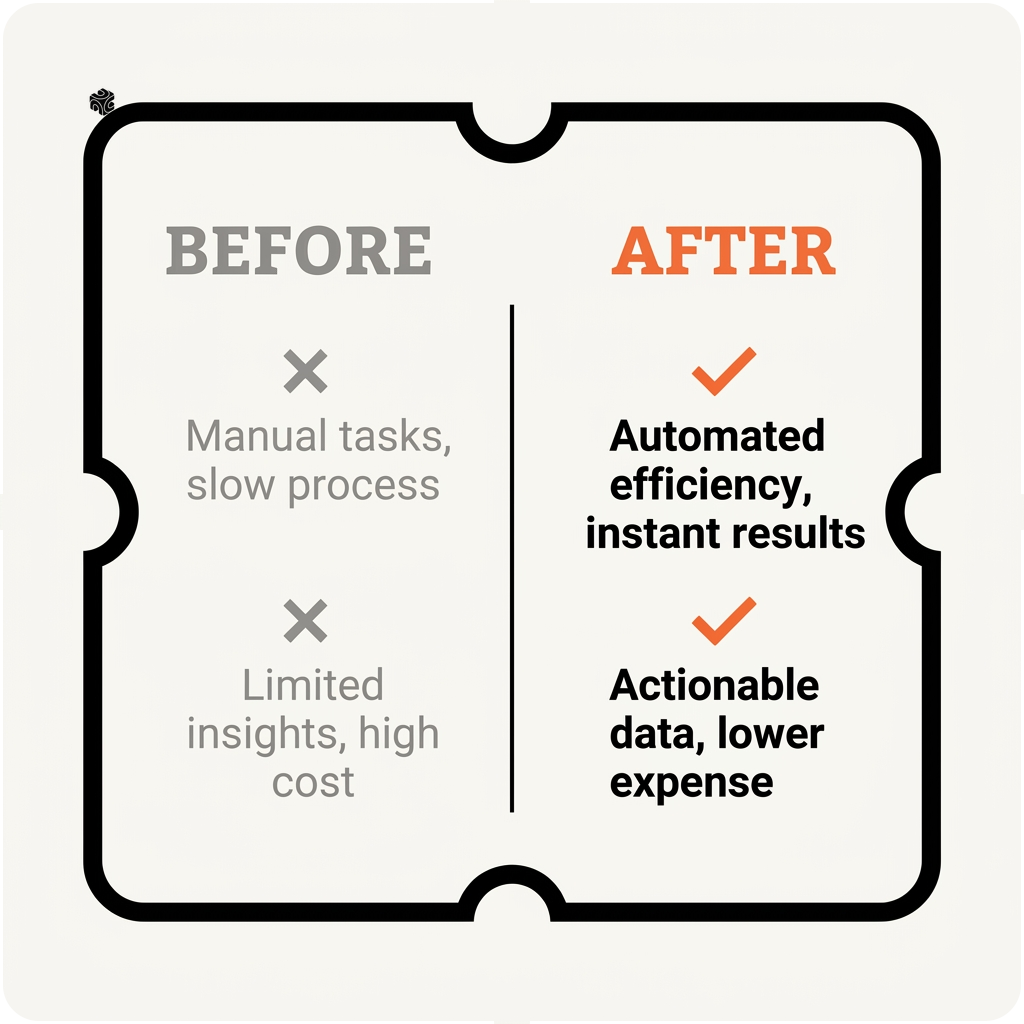
Here's what happened after we set up AI phone answering at that Highland Park office. Before: 23% of calls went to voicemail during business hours. After: 2% of calls went unanswered. Their team gained 12 hours per week to focus on actual work instead of phone tag.
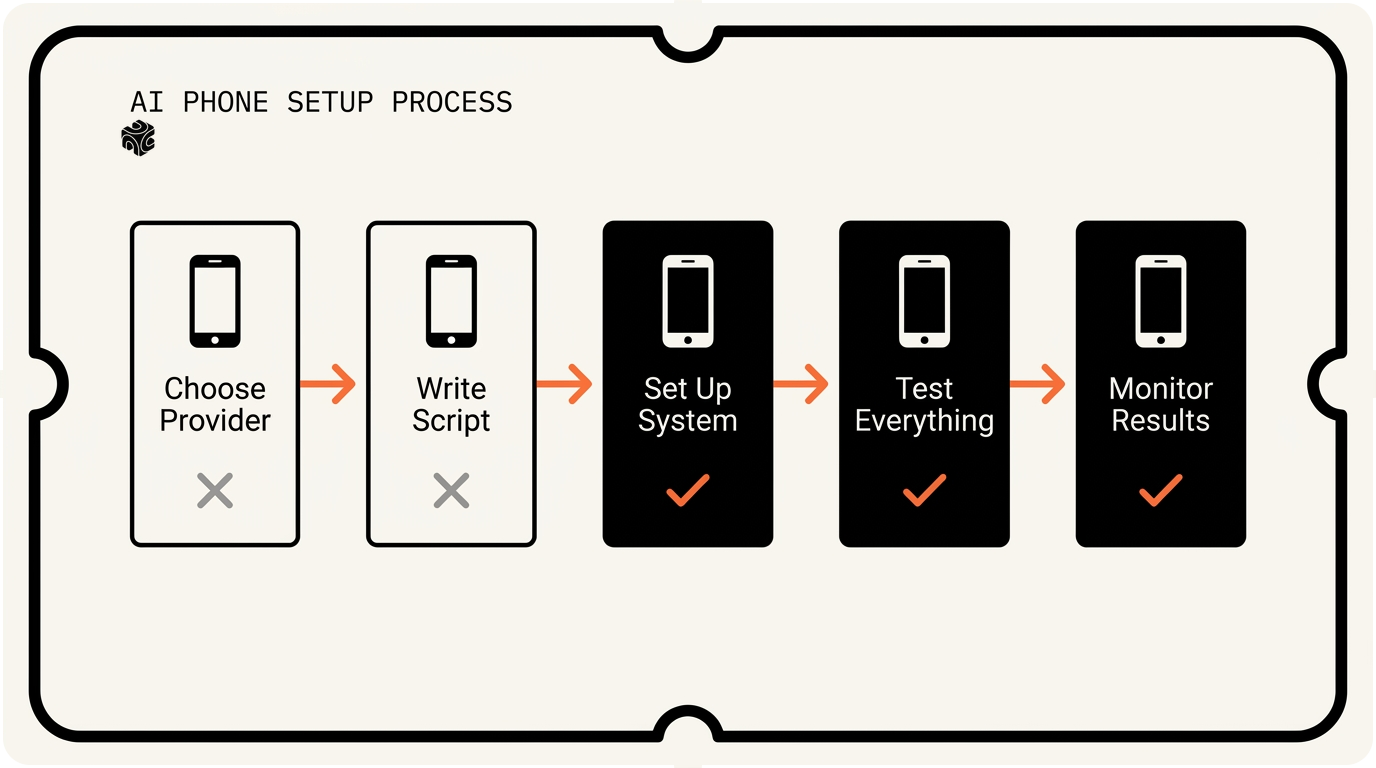
I'm going to show you exactly how to set this up. No tech background needed. Just follow these five steps.
Choose Your AI Phone Provider
Think of AI phone providers like hiring a virtual receptionist. Some are chatty but dumb. Others are smart but robotic. A few hit the sweet spot.
I've tested eight different providers with my clients. Three stand out for small offices.
Air AI sounds the most human. Seriously, it's scary good. But it's pricey. Plan on $300-500 per month. Best for law firms and financial advisors where calls are worth $5,000+ each. I set this up for a Winnetka wealth management firm last year. Their closing rate went up because prospects didn't realize they were talking to AI.
Bland AI is the middle ground. Good voice quality. Smart enough for most business calls. Around $200-300 per month. I use this for most insurance agencies. It handles appointment booking, basic questions, and call routing without sounding like a robot from 2010.
ElevenLabs + Vapi is the budget option. You need to connect two services. More setup work. But you can get started for under $100 per month. Perfect if you want to test the waters first.
Here's how to choose. Ask yourself: What's the average value of one new client? If it's over $3,000, go with Air AI. If it's $500-3,000, pick Bland AI. If you're just starting out or have tight budgets, try ElevenLabs + Vapi.
Don't get stuck comparing features for weeks. They all do the same basic job. Pick one and move forward. You can always switch later.
Most providers offer free trials. Sign up for two or three. Test them with your actual phone number. See which one sounds best to your ears. That's your winner.
Write Your Phone Script
Your script is everything. A good script makes AI sound helpful. A bad script makes it sound like a broken robot.
Most people write scripts that are way too long. They try to cover every possible scenario. Big mistake. Keep it simple. Handle the common stuff. Route the weird stuff to humans.
Here's the script template I use for every client. Copy this exactly:
"Hi, thanks for calling [Your Company Name]. I'm [AI Name], your virtual assistant. I can help you schedule appointments, answer basic questions about our services, or connect you with the right person. What can I help you with today?"
That's it. Don't overthink the opening.
Now build your response tree. Think of it like a flowchart. If they say "pricing," what happens? If they say "emergency," what happens? If they say something weird, what happens?
For that Highland Park insurance office, we built five main paths:
1. Schedule appointment: AI books it directly in their calendar system
2. File a claim: AI gathers basic info and creates a ticket
3. Get a quote: AI asks three questions and schedules a callback
4. Billing question: AI transfers to the billing person
5. Everything else: AI takes a message and promises someone will call back in 2 hours
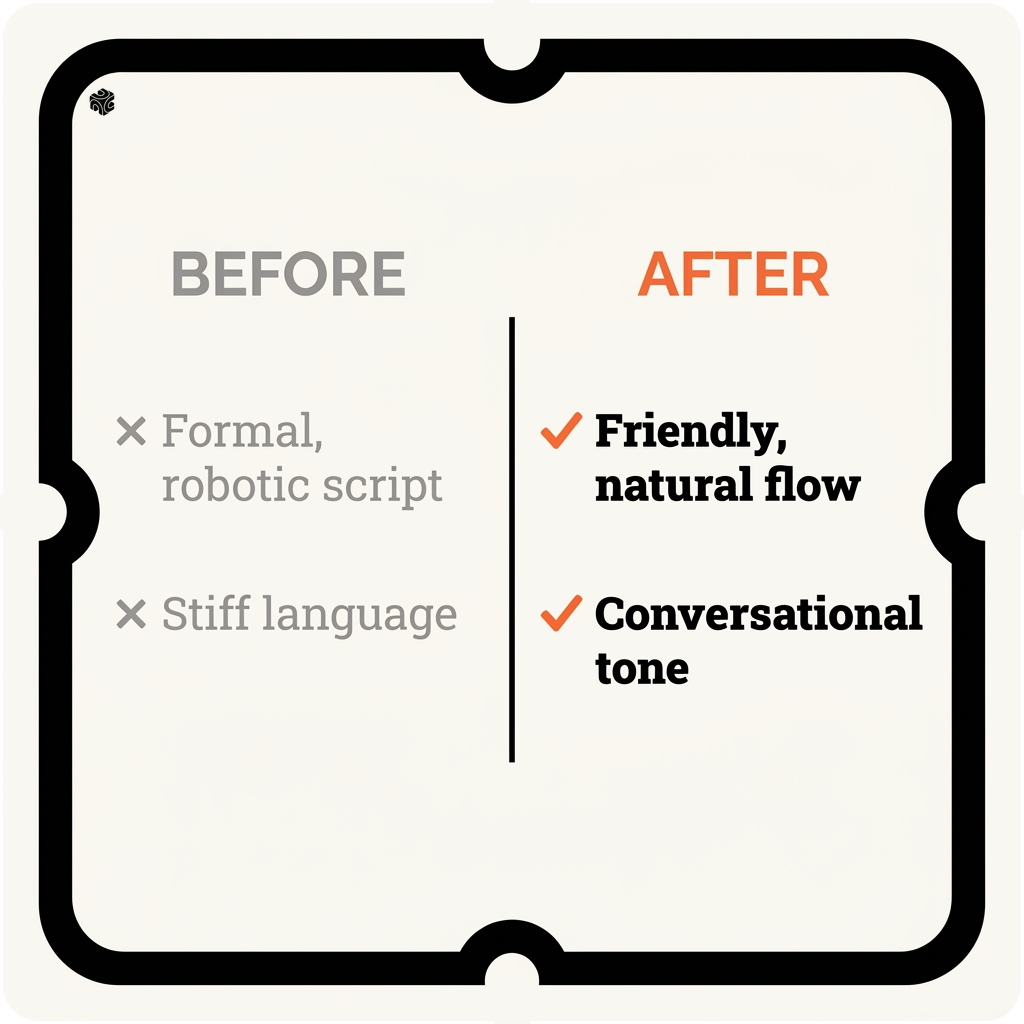
Write out responses for each path. Keep them short. Use simple words. If you wouldn't say it to your neighbor, don't put it in the script.
Bad: "I'd be happy to facilitate the scheduling of an appointment at your earliest convenience."
Good: "I can schedule that appointment for you right now. What day works best?"
Test your script by reading it out loud. If you stumble over any part, rewrite it. The AI will stumble too.
One more thing: Give your AI a name and personality. "Hi, I'm Sarah" works better than "This is your virtual assistant." People connect better with names. Pick something friendly but professional. Sarah, Mike, Jessica. Not Siri or Alexa - those sound too robotic.
Set Up the System
Time to connect the pieces. Don't panic if this sounds technical. It's like connecting a new TV to your cable box. Just follow the steps.
First, you need to forward your calls to the AI system. This happens at your phone carrier level. If you use AT&T, Verizon, or a business phone system like RingCentral, you'll set up call forwarding.
Here's the trick: Don't forward ALL calls to AI on day one. That's asking for trouble. Instead, set up conditional forwarding. Forward calls only when your main line is busy or after hours.
Most business phone systems call this "overflow routing." Your main receptionist gets the first call. If they're on another call, the second call goes to AI. If both lines are busy, the third call goes to AI.
Next, connect your AI to your calendar system. This is where the magic happens. Instead of playing phone tag to schedule appointments, AI books them directly.
If you use Google Calendar or Outlook, most AI providers connect directly. For specialized software like Applied Epic (insurance) or Clio (law firms), you might need custom integration work. I do this for North Shore clients all the time.
Set up your knowledge base. This is like giving your AI a cheat sheet about your business. Common questions and their answers. Your hours. Your location. Your basic pricing.
Keep this simple too. Don't upload your entire policy manual. Just the basics. "We're open Monday through Friday, 9 to 5." "We serve Lake County and Cook County." "Our consultation fee is $200."
Configure your escalation rules. When should AI transfer to a human? I recommend these triggers:
• Caller sounds upset or frustrated
• Caller uses words like "emergency," "urgent," or "complaint"
• Caller asks three questions AI can't answer
• Call goes longer than 5 minutes
Most AI systems can detect emotion in people's voices. If someone sounds angry, route them to a human immediately. Don't let AI try to calm down an upset customer. That never ends well.
Test your integrations one by one. Have the AI book a fake appointment in your calendar. Make sure it shows up. Have it take a message and email it to you. Make sure you get it.
One client in Lake Forest learned this the hard way. They went live without testing. Their AI was booking appointments in a test calendar nobody checked. They lost a week of bookings before we caught it.
Test Everything Before Going Live
Testing is boring but critical. It's like checking your parachute before jumping. Skip this step at your own risk.
Start with simple tests. Call your number. Go through each of your main scenarios. Book an appointment. Ask for pricing. Request a callback. See how AI handles each one.
Record these test calls if your system allows it. Listen back with fresh ears. Does AI sound natural? Does it understand questions correctly? Does it give the right information?
I always test with my mom first. She's not in tech. She asks normal questions the way normal people do. If AI confuses her, it'll confuse your customers.
Test the edge cases too. What happens if someone speaks really fast? Really slow? With an accent? In a noisy car?
Try to break the system. Be that annoying caller who asks weird questions. "Do you guys sell insurance for my pet snake?" "Can I get a quote for insuring Mars?" See how AI handles the unexpected.
Most AI systems have a fallback option. When they don't understand something, they should say: "I'm not sure about that. Let me connect you with someone who can help." Make sure this works.
Test your business hours settings. Call after hours. Make sure AI mentions your actual hours. Call on weekends. Make sure it offers to take a message or schedule for Monday.
Get your team involved. Have each person call and pretend to be a customer. They know your business inside out. They'll catch things you miss.
Document what doesn't work. Keep a list. "AI doesn't understand when people say 'vehicle insurance' instead of 'car insurance.'" "AI gets confused by people who ramble for 30 seconds before asking their question."
Fix these issues before going live. Most are script tweaks. Add synonyms. Shorten responses. Improve the flow.
Run a soft launch first. Forward calls to AI for just one hour during a slow period. Tuesday at 2 PM. See how it goes. If it works well, expand to a few hours. Then half days. Then full days.
One Evanston law firm I worked with did this perfectly. They tested for two weeks. Fixed a dozen small issues. When they went fully live, they had zero problems. Their clients started complimenting their "new receptionist."

Monitor and Improve Performance
Your AI phone system is live. Congratulations! But you're not done. Think of this like training a new employee. They need feedback and coaching to get better.
Most AI providers give you a dashboard. Check it daily for the first month. Look at these key numbers:
97%
Target call completion rate (calls AI handles without transferring to humans)
If AI transfers more than 10% of calls to humans, something's wrong with your script. Either it's too narrow or the knowledge base is missing key info.
Track appointment booking rates. If people call to schedule but don't book, AI might be making it too complicated. Simplify the process. Ask fewer questions upfront.
Listen to call recordings. Yes, it's tedious. But you'll learn so much. "Oh, people keep asking about our evening hours. We should add that to the script." "AI keeps interrupting people. Let's add more pause time."
Pay attention to customer feedback. Are people complimenting your phone service? Or complaining that it's hard to reach a human? Adjust accordingly.
That Highland Park insurance office I mentioned? After two months, their metrics looked like this:
• 87% call completion rate
• 34% more appointments booked
• 12 hours per week saved on phone handling
• 96% customer satisfaction (they surveyed people)
But it wasn't perfect on day one. We tweaked the script six times in the first month. Added new response paths. Fixed pronunciation issues.
Most improvements are small. "Add a pause after asking for their phone number." "Say 'Lake Forest office' instead of just 'our office.'" "When people ask for directions, give the street address and nearby landmarks."
Keep a feedback log. When someone on your team says "AI should have handled that differently," write it down. Review the log weekly. Make updates in batches.
Don't change too much at once. If you update five things and performance gets worse, you won't know which change caused the problem.
Train your team on the new system. They need to know what AI can and can't do. When someone transfers a call to them, they should know the context. "AI tried to book an appointment but the client wants to discuss pricing first."
Set up alerts for problems. If AI starts failing a lot of calls, you want to know immediately. Most providers can email or text you when error rates spike.
Plan for growth. As your business grows, you'll get more calls. Your script might need updating. You might need to add new response paths. Stay flexible.
Remember: AI phone answering gets better over time. The system learns from every call. Your script gets smarter. Your team gets more comfortable. After six months, it feels like magic.
I've seen this transformation dozens of times with clients across the North Shore. One insurance agency went from drowning in phone calls to having their most productive year ever. Their secret? They didn't just set up AI and forget it. They treated it like a team member who needed training and support.
Ready to stop missing calls and start growing your business? The setup process takes about two weeks if you follow these steps. Most of my small business clients see results within the first month.
Want help setting this up for your specific business? I've walked dozens of North Shore companies through this exact process. Book a free 30-minute AI audit and I'll show you exactly what this would look like for your office. We'll review your current phone setup, discuss your goals, and create a custom plan that fits your budget and timeline.
Frequently Asked Questions
How much does AI phone answering cost for a small business? +
AI phone answering for small businesses typically costs $100-500 per month depending on the provider and features. Budget options like ElevenLabs + Vapi start under $100, mid-range solutions like Bland AI cost $200-300, and premium providers like Air AI run $300-500. Most providers offer free trials to test before committing.
Can AI phone systems book appointments directly in my calendar? +
Yes, most AI phone systems can integrate directly with Google Calendar, Outlook, and many business scheduling systems. They can check availability, book appointments, send confirmations, and even reschedule meetings. Some specialized software may require custom integration work.
What happens when AI can't answer a customer's question? +
Good AI phone systems are programmed with escalation rules to transfer complex calls to humans. They can detect frustrated customers, handle emergency keywords, and route calls that exceed time limits or question thresholds. The key is setting up proper fallback protocols during initial setup.
How long does it take to set up AI phone answering? +
Setting up AI phone answering typically takes 1-2 weeks for a small business. This includes choosing a provider (2-3 days), writing scripts (3-4 days), system setup and integration (3-5 days), and thorough testing (2-3 days). Rushing the process often leads to problems after launch.
Do customers realize they're talking to AI? +
It depends on the provider and script quality. Premium services like Air AI sound very human-like, while budget options may sound more robotic. However, many customers don't mind talking to AI as long as it's helpful and can solve their problems quickly. Transparency about using AI is often appreciated.
Want to see how AI fits in your firm?
Book a free 30-minute AI audit. No obligation, no pitch deck.
Book a Free AI Audit →