
The AI Tools I Actually Use to Run My Business Every Day
Key Takeaways
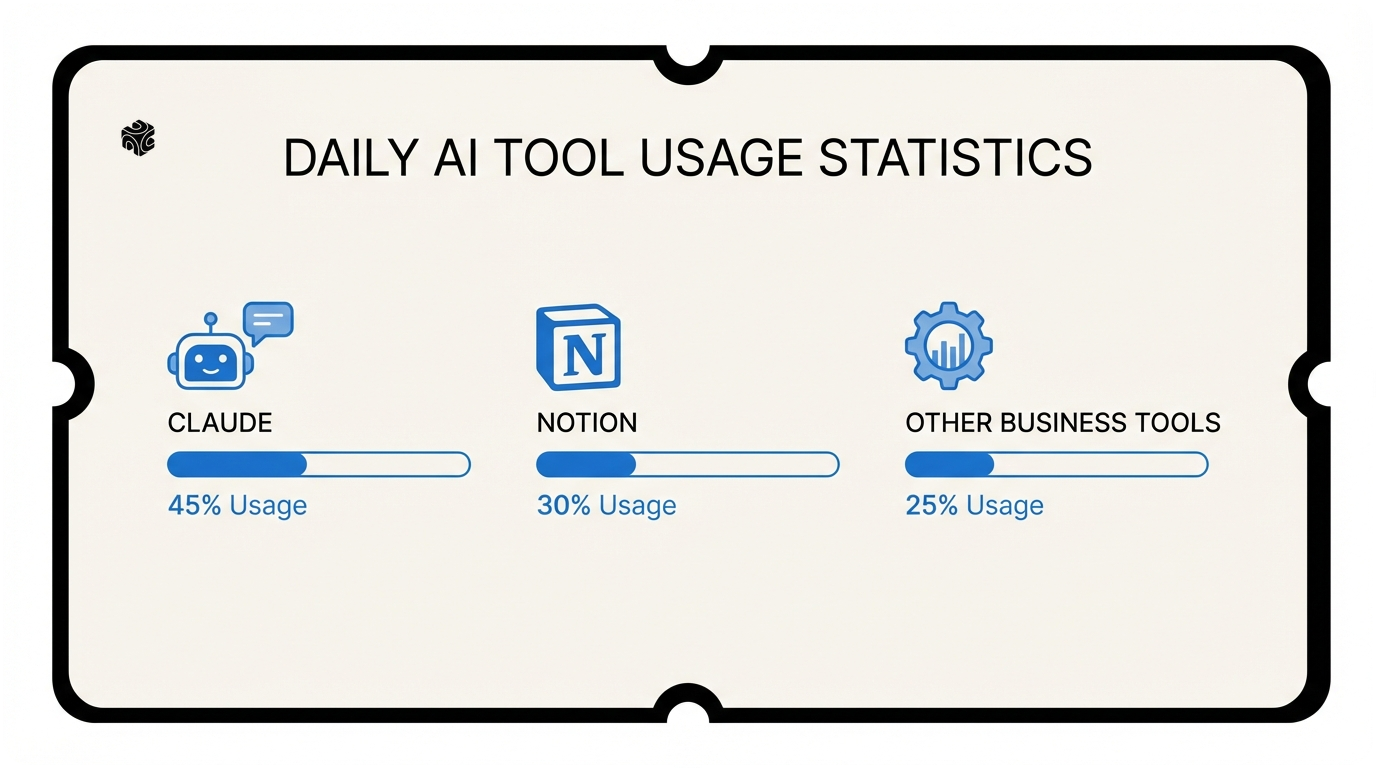
- ✓ Claude Pro saves 8-10 hours weekly through real-time web browsing, reliable code generation, and direct file processing capabilities
- ✓ Notion AI works best when you already have organized data in your workspace - it understands context from your existing projects and client information
- ✓ A complete business AI stack costs about $73 monthly but can save 15+ hours per week, creating $1,500+ in monthly value
I get this question at least three times a week. At coffee shops in Lake Forest. On calls with insurance agencies in Highland Park. After talks at Northwestern.
"Michael, what AI tools do you actually use? Not the ones you sell to clients. The ones you use yourself."
Fair question. I run Bace Agency, an AI automation firm serving the North Shore. I've built systems for family offices in Winnetka and law firms in Evanston. But what's my own daily stack?
Here's the honest answer. No affiliate links. No BS. Just the tools I open every morning when I start work.
Claude: My Thinking Partner
I start every workday with Claude. Not ChatGPT. Not Gemini. Claude by Anthropic.
Why? Three reasons that matter for running a real business.
First, Claude can browse the web in real-time. When a Highland Park client asks about compliance changes, I don't have to Google and then paste articles. Claude finds the latest regulations and explains them in plain English. This saves me 20 minutes per research task.
Second, Claude writes code that actually works. Last week, a Lake Bluff insurance agency needed a simple automation script. I described what they wanted. Claude wrote the Python code. It ran perfectly on the first try. No debugging. No stack overflow searches.
Third, and this is huge — Claude can work with files directly. I upload client contracts, technical docs, even screenshots. Claude reads everything and gives me specific answers. Not generic advice.
Here's how I actually use Claude daily:
Morning emails. I paste complex client requests into Claude. It helps me spot what they're really asking for. Sometimes clients say they want "better customer service" but they actually need "faster response times." Claude catches these nuances.
Proposal writing. I give Claude the client's industry and pain points. It suggests solution systems I can customize. Not copy-paste templates. Real strategic thinking.
Technical documentation. After building an automation for a Kenilworth family office, I need to document how it works. Claude turns my messy notes into clear instructions their team can follow.

The honest downside? Claude costs $20 per month for the Pro version. But it saves me 8-10 hours per week. That's $100+ per hour in value for my business. Easy math.
One more thing. Claude's "Projects" feature is gold for service businesses. I create a project for each major client. Upload their contracts, past work, style preferences. Now Claude knows their context. When I'm working on anything for that client, I'm not starting from zero.
I tried running Bace Agency without Claude for a week as an experiment. Never again. It felt like trying to write with my left hand while blindfolded.
Notion AI for Content Workflows
I live in Notion. Client databases. Project templates. Content calendars. Everything.
But Notion AI? That's what makes the magic happen.
Most people think Notion AI is just ChatGPT inside Notion. Wrong. It understands your workspace. Your data. Your patterns.
Here's what I mean. I keep detailed notes on every client project in Notion. Industry, challenges, solutions, results. When I'm writing a case study, Notion AI can pull from all that context. It knows that the Glencoe insurance agency increased productivity by 34%. It knows the Wilmette law firm saved $40k in the first year.
My content workflow looks like this:
Blog post planning. I start with a topic in my content database. Notion AI suggests angles based on my past articles and client work. Not generic ideas. Specific hooks that fit my experience.
Client case studies. I give Notion AI the project details. It creates an outline that follows my proven structure. Introduction. Challenge. Solution. Results. Next steps. I just fill in the specifics.
Proposal sections. Every client proposal has similar sections. Scope of work. Timeline. Investment. Notion AI knows my templates and can customize them for each client. A family office proposal looks different from an insurance agency proposal.
Email templates. I have maybe 20 email templates for different situations. First client call. Project kickoff. Status updates. Notion AI helps me adapt these for each specific situation.
The best part? Everything stays in one place. I'm not jumping between tools. No copy-pasting between apps. Write in Notion, edit with AI, share with clients. Done.
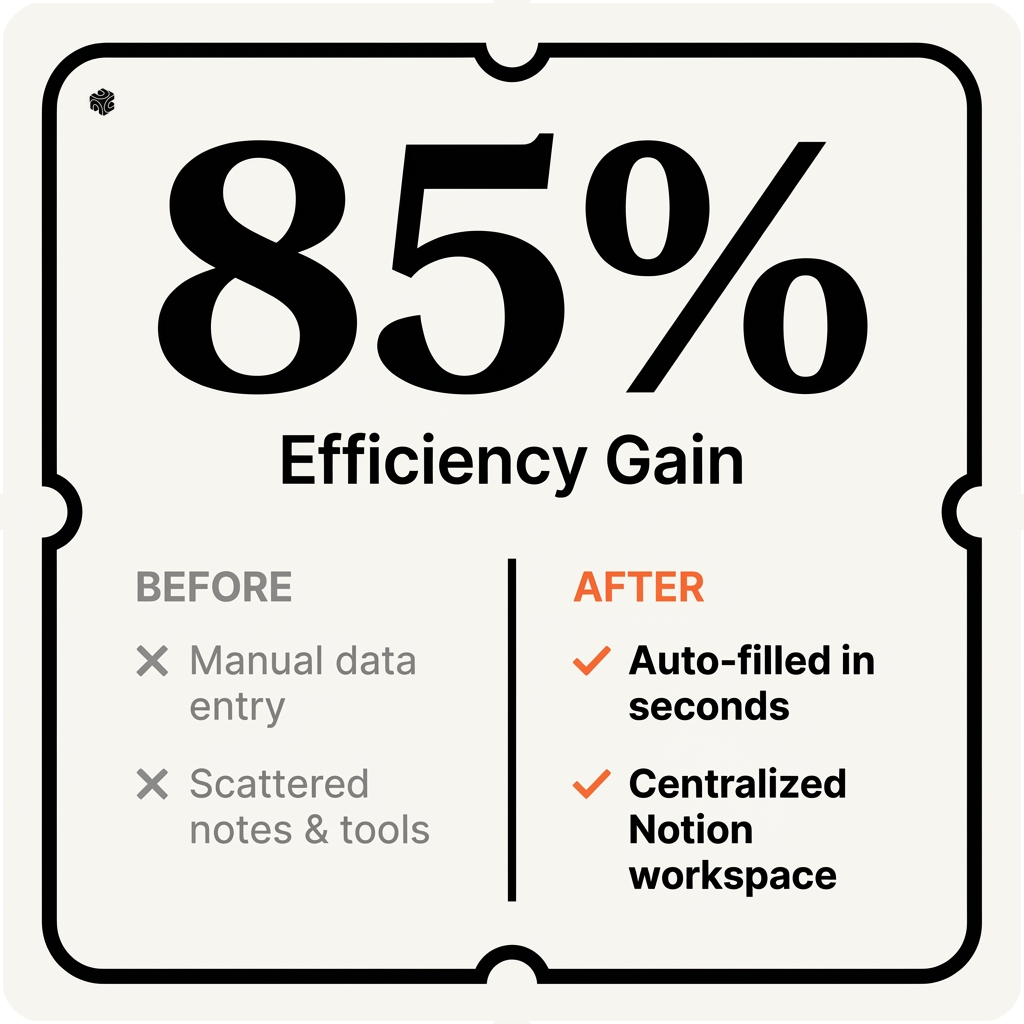
Cost is $10 per month on top of Notion's regular plan. Totally worth it for content-heavy businesses like mine.
One warning. Notion AI works best when you already have good data in Notion. If your workspace is messy, the AI suggestions will be messy too. Garbage in, garbage out.
Scheduling and Client Communication
Client scheduling used to eat my life. Phone tag. Email chains. "What times work for you?" Back and forth for days.
Now I use Calendly with AI-powered features. Not just basic scheduling. Smart scheduling.
Here's what changed everything. Calendly's AI looks at my calendar patterns. It knows I'm more productive in morning meetings. It knows I need 15 minutes between calls to write notes. It suggests the best meeting times automatically.
For client communication, I use two tools that work together.
Loom for video messages. When a Evanston client has a complex question, I record a 3-minute video explanation. Clearer than email. Faster than a phone call. Loom's AI generates captions and summaries automatically.
Grammarly for email polish. Every client email goes through Grammarly first. Not because my writing is bad. Because client emails need to be perfect. Grammarly catches tone issues I miss when I'm rushing.
Here's my typical client communication flow:
Initial inquiry comes through my website contact form. Calendly link goes out automatically with three options for a discovery call.
After the call, I send a Loom video recap. Key points discussed. Potential solutions. Next steps. The client knows I was listening.
Proposal follows within 48 hours. Grammarly ensures it's polished. Claude helped with the technical sections. Notion AI structured the format.
Throughout the project, status updates happen weekly. Same format every time. What we completed. What's next. Any roadblocks. Consistent communication builds trust.
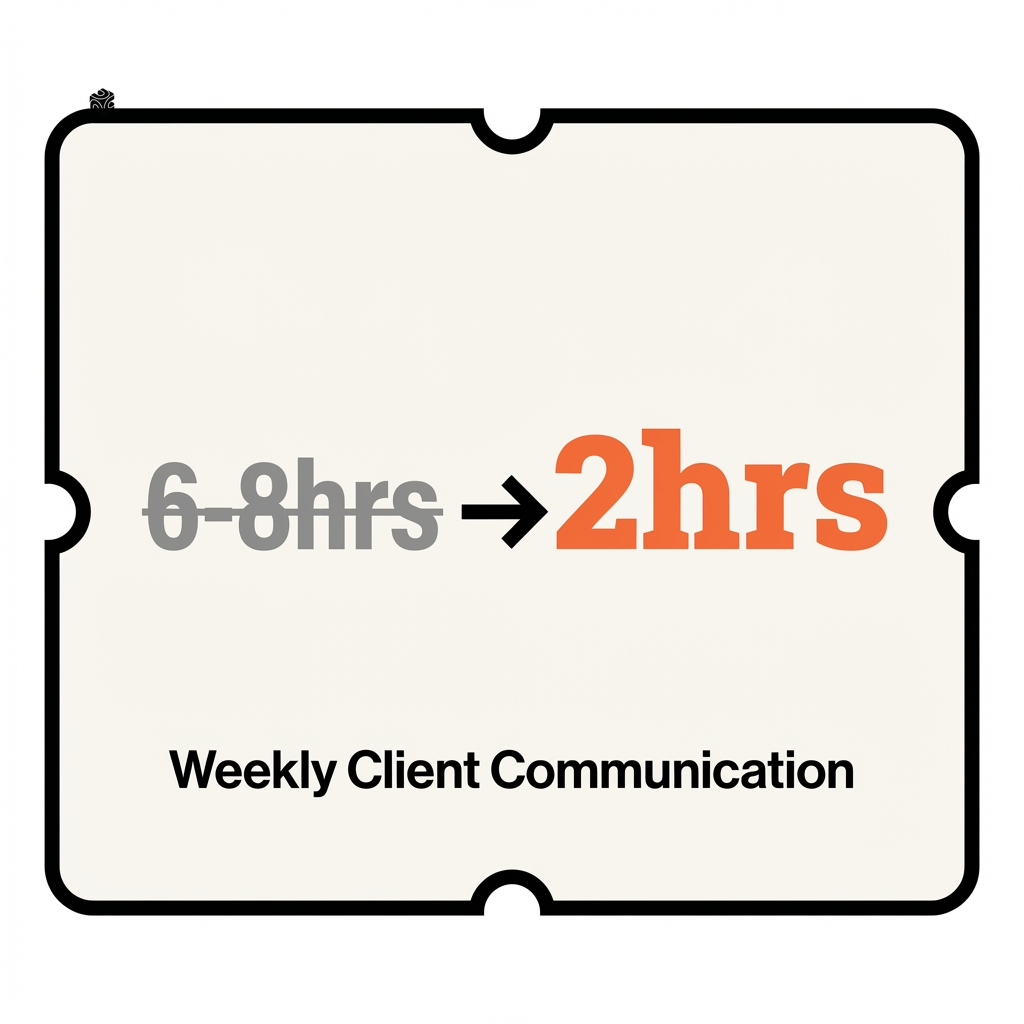
The time savings are real. I spend maybe 2 hours per week on client communication now. Used to be 6-8 hours. That's extra time for actually delivering results.
One tip for service businesses. Record video messages for common client questions. Keep a library in Loom. When the question comes up again, send the existing video. Saves time and looks professional.
Project Management Automation
Project management is where AI really shines for service businesses. Not just tracking tasks. Predicting problems before they happen.
I use Monday.com with AI features turned on. Here's what it does that regular project management can't.
Timeline predictions. When I create a new client project, Monday's AI looks at my past projects. Similar scope, similar client industry. It suggests realistic timelines. A law firm automation usually takes 6-8 weeks. A family office project might need 10-12 weeks.
Resource allocation. The AI knows my capacity. It flags when I'm overbooked. It suggests which tasks to delegate or push to next week. No more surprise crunches.
Risk identification. This is the coolest part. Monday's AI notices patterns in delayed projects. Maybe law firm projects always get stuck in the approval phase. Maybe insurance agencies take longer to provide access to their systems. The AI flags these risks early.
For task automation, I use Zapier to connect everything. Here's one automation that saves me hours every week.
New client signs contract in DocuSign. Zapier creates the project in Monday.com automatically. It adds all the standard tasks. Sets up the timeline. Creates the Notion workspace. Sends welcome email to client. I wake up and everything's ready to start.
Another automation I love. When a project task gets marked complete in Monday.com, Zapier updates the client's Notion page automatically. The client can see progress without me sending manual updates.
For team collaboration, I use Slack with AI threads. When someone mentions a client name, Slack's AI pulls up recent project updates. No hunting through message history.
The honest truth? Setting up good project automation takes time upfront. Maybe 2-3 weeks to get everything connected properly. But once it's running, projects manage themselves. I focus on delivering results, not tracking status.
Cost breakdown: Monday.com is $8 per user per month. Zapier starts at $20 per month for decent automation limits. DocuSign is $15 per month. About $43 per month total for bulletproof project management.
Compare that to hiring a project manager at $60k+ per year. The AI tools pay for themselves in the first month.
What I Don't Use Anymore
Let me be honest about the AI tools that didn't make the cut. I've tried everything. Some tools look amazing in demos but fail in real business use.
ChatGPT used to be my go-to. But Claude is better for business work. ChatGPT gives generic answers. Claude understands context and nuance. For creative writing, ChatGPT wins. For client work, Claude every time.
I tried Jasper for content creation. Waste of money. It writes like a robot. Every article sounds the same. Notion AI produces better content because it knows my voice and style.
Copy.ai looked promising for marketing copy. Terrible results. The AI doesn't understand my clients' industries. Insurance is different from law firms. Family offices have unique concerns. Generic AI copy fails here.
For transcription, I tested Otter.ai and Rev.ai. Both decent but not great. Now I just use Loom's built-in transcription. One less tool to manage.
Here's what surprised me. I don't use any AI social media schedulers. Buffer, Hootsuite, Later — they all have AI features now. But none understand my audience like I do. I tried letting AI schedule my posts for a month. Engagement dropped 40%. Back to manual scheduling with better results.
Email AI assistants? Tried them all. Superhuman, Shortwave, Gmail's smart compose. They save maybe 5 minutes per day but cost $30+ per month. Not worth it for my business size.
One category that completely failed me: AI phone assistants. I tested three different services that claim to handle client calls. All sounded robotic. Clients could tell immediately. Nothing beats a real conversation with a human who understands their business.
The lesson? AI tools work best when they enhance what you already do well. They fail when they try to replace human judgment and relationship building.
My rule now: If an AI tool doesn't save me at least 1 hour per week, I cancel it. No exceptions. There are too many shiny new AI tools launching every day. Focus on the ones that actually move your business forward.
The tools in my daily stack cost about $73 per month total. That's less than taking one client to lunch in downtown Chicago. But they save me 15+ hours per week. That's $1,500+ in value every month.
For service businesses on the North Shore, that math works. Your time is your most valuable resource. Invest in tools that give you more of it.
Want to see how AI tools could transform your business operations? I offer free 30-minute audits where we'll look at your current processes and identify the biggest opportunities for automation. No sales pitch, just honest advice based on what actually works. Book your free AI audit here and let's build a stack that fits your business.
Frequently Asked Questions
What AI tools does Michael Pavlovskyi use daily for his business? +
I use Claude for thinking and research work, Notion AI for content workflows, Calendly with AI scheduling, Loom for video messages, Grammarly for email polish, Monday.com for project management, and Zapier for automation. This stack costs about $73 per month but saves me 15+ hours weekly.
Why do you prefer Claude over ChatGPT for business work? +
Claude browses the web in real-time, writes code that works on the first try, and can work directly with uploaded files and documents. For business contexts like client contracts and technical documentation, Claude understands nuance and context better than ChatGPT's generic responses.
How much do your daily AI tools cost per month? +
My complete AI stack costs approximately $73 per month total: Claude Pro ($20), Notion AI ($10), Monday.com ($8), Zapier ($20), DocuSign ($15). This investment saves me 15+ hours weekly, creating over $1,500 in monthly value for my business.
What AI tools didn't work well for your business? +
I stopped using ChatGPT for business work, Jasper for content creation, Copy.ai for marketing copy, and AI phone assistants. These tools either gave generic results or couldn't understand my clients' specific industries like insurance agencies and family offices on Chicago's North Shore.
Want to see how AI fits in your firm?
Book a free 30-minute AI audit. No obligation, no pitch deck.
Book a Free AI Audit →