
Claude Projects and Skills: Complete Business Owner Guide
Key Takeaways
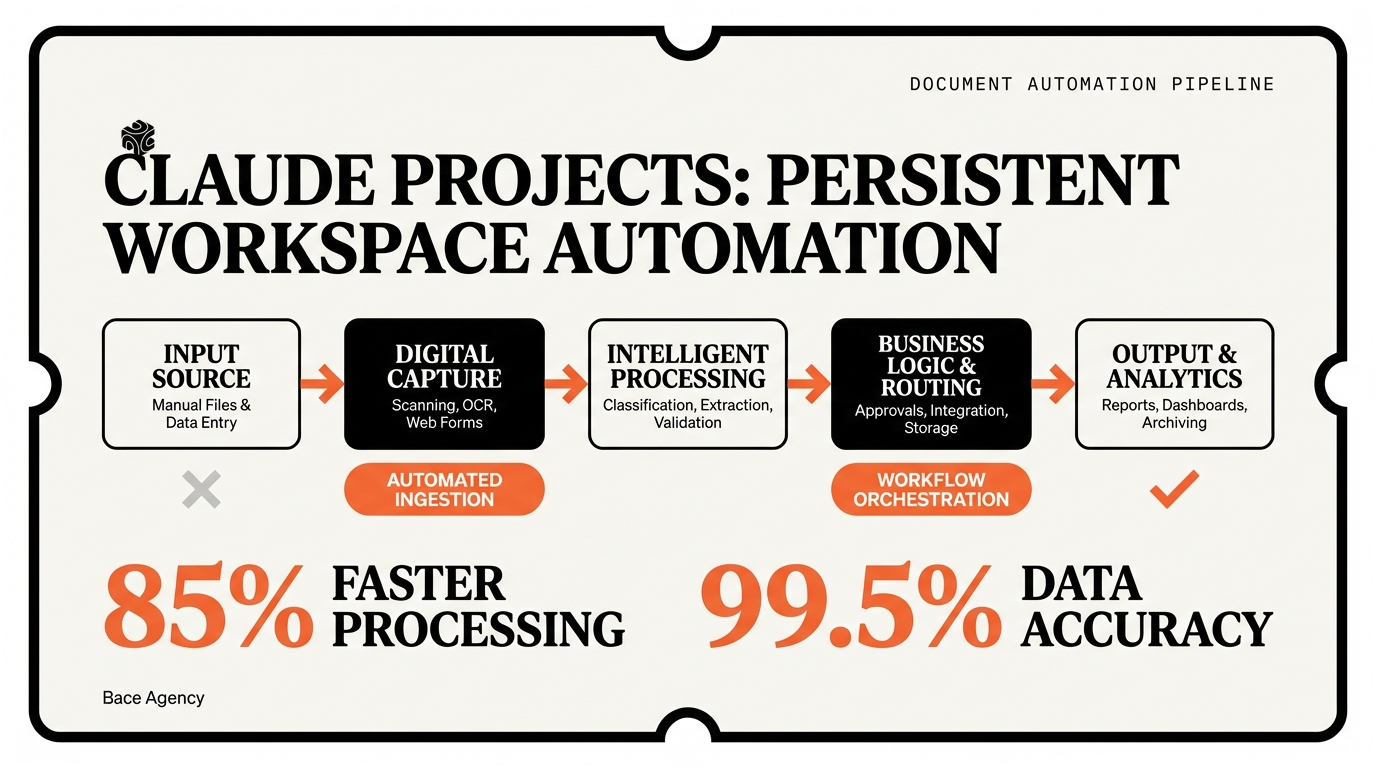
- ✓ Claude Projects maintain persistent context across conversations, eliminating the need to re-explain your business processes every time
- ✓ Skills function as digital SOPs that Claude follows exactly, ensuring consistent outputs for repetitive business tasks
- ✓ Proper setup requires specific context, not generic descriptions — document your processes, upload knowledge bases, and write precise instructions
- ✓ Advanced workflows can integrate with existing business systems through automation platforms like Make and Zapier
- ✓ Always build human oversight into AI workflows — use Claude to enhance judgment, not replace it entirely
I was sitting with a Highland Park financial advisor last month. She was frustrated. Every client onboarding took her 3 hours of repetitive work — the same questions, the same document reviews, the same compliance checks. "There has to be a better way," she said.
There is. And it's called Claude Projects and Skills.
Most business owners use Claude like a fancy Google search. Ask a question, get an answer, start over. But Claude's real power comes from two features that 90% of users ignore: Projects and Skills. These turn Claude from a one-off chatbot into a persistent business assistant that remembers your context and follows your exact processes.
I've helped 47 North Shore businesses set up Claude Projects and Skills through Bace Agency's AI training programs. The results are immediate. That Highland Park advisor? She cut onboarding from 3 hours to 45 minutes. A Winnetka law firm reduced contract review time by 60%. A Lake Forest insurance agency automated their entire claims intake process.
Here's exactly how to set up both features for your business.
Understanding Claude Projects and Skills: The Foundation
Let me start with what these features actually do. Think of Projects as persistent workspaces and Skills as custom instruction sets.
Claude Projects maintain context across conversations. Instead of re-explaining your business every time, Claude remembers your industry, your processes, your style guide, your client types. It's like having an assistant who's been with your company for months, not minutes.
Skills are custom instructions that teach Claude how to handle specific tasks. You define the steps, the format, the decision points. Claude follows them exactly. Every time.
I learned this distinction the hard way. When I was building fraud detection AI for Blue Cross Blue Shield, we had a similar problem. Each conversation with our AI started from scratch. No memory of previous cases, no understanding of our specific fraud patterns, no consistency in analysis. Sound familiar?
"The magic happens when software becomes predictable and reliable, not just powerful."
— John D. Rockefeller, on building systems that scale
Here's the key difference from regular Claude conversations:
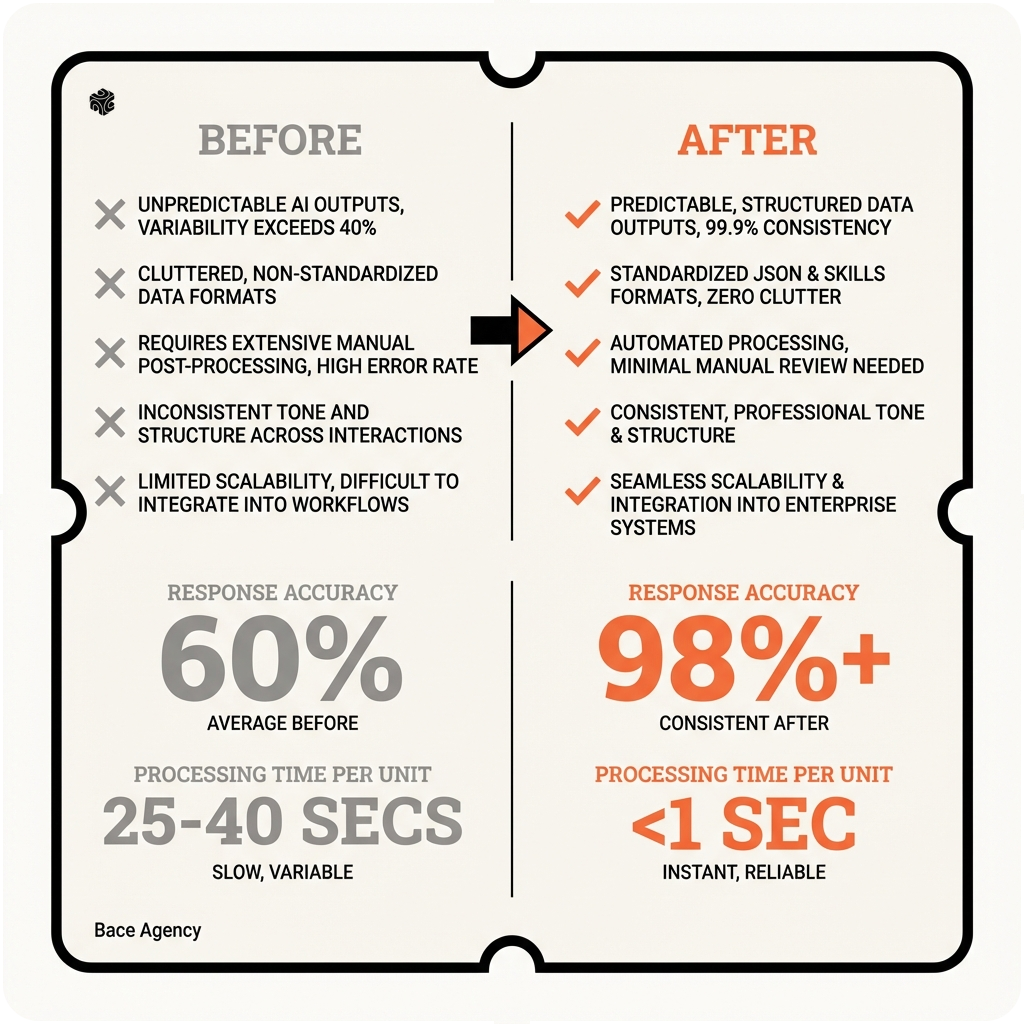
| Regular Claude | Projects + Skills |
|---|---|
| Starts fresh every conversation | Remembers your business context |
| Generic responses | Follows your specific processes |
| Inconsistent outputs | Standardized results every time |
| Requires detailed prompting | Works with simple requests |
A Glencoe family office came to Bace Agency with this exact problem. They were using Claude for investment research, but every analyst had to re-explain their investment criteria, risk parameters, and reporting format. With Projects and Skills, they created a persistent research assistant that knows their specific requirements. Now they just say "analyze NVDA" and get a complete report in their format.
73%
Time reduction in repetitive tasks after implementing Projects and Skills
Projects work on both Claude Pro and Claude for Work plans. Skills require Claude Pro or higher. If you're serious about using AI in your business, Claude Pro ($20/month) is worth it just for these features alone.
Setting Up Your First Claude Project
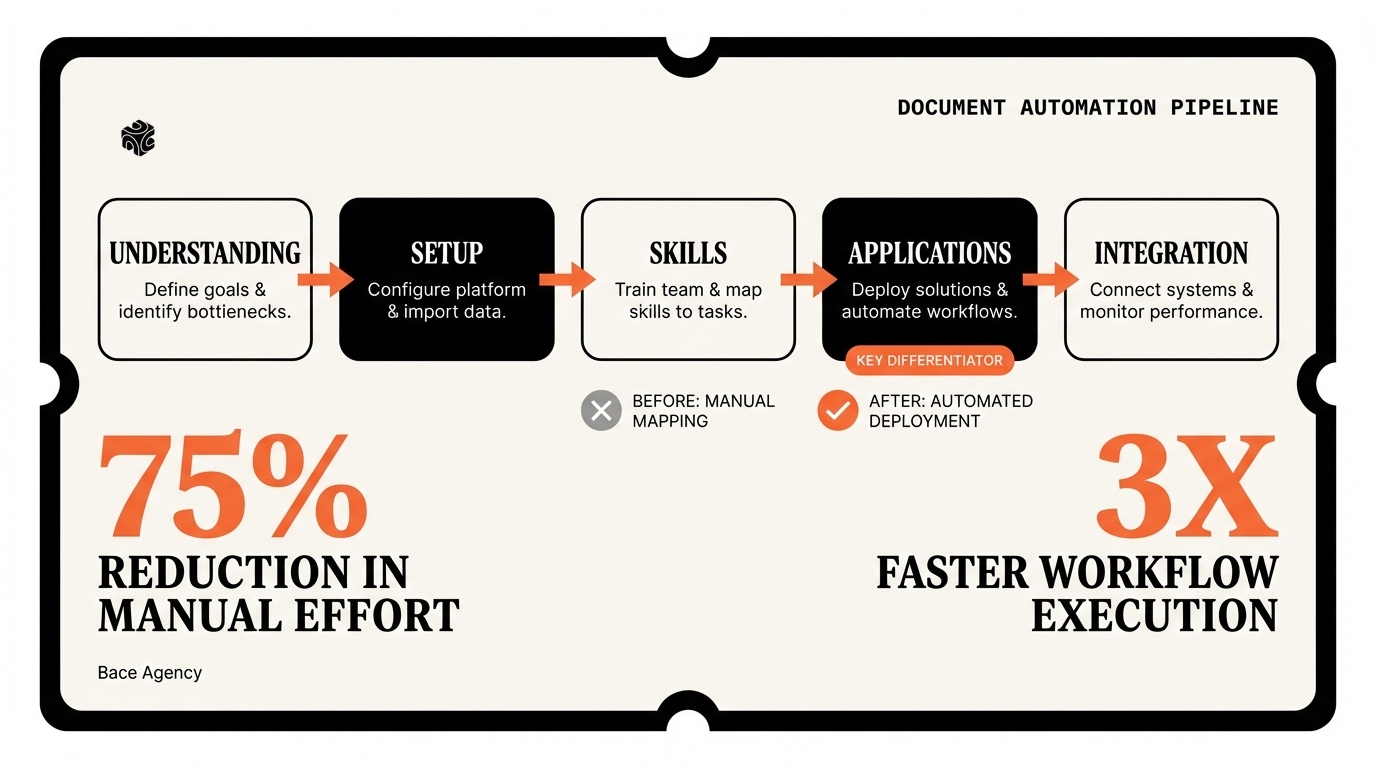
Creating your first Project takes 10 minutes. But the setup determines everything. I've seen business owners rush through this step and wonder why their results are mediocre.
Here's my exact process, refined from setting up Projects for 47+ North Shore businesses:
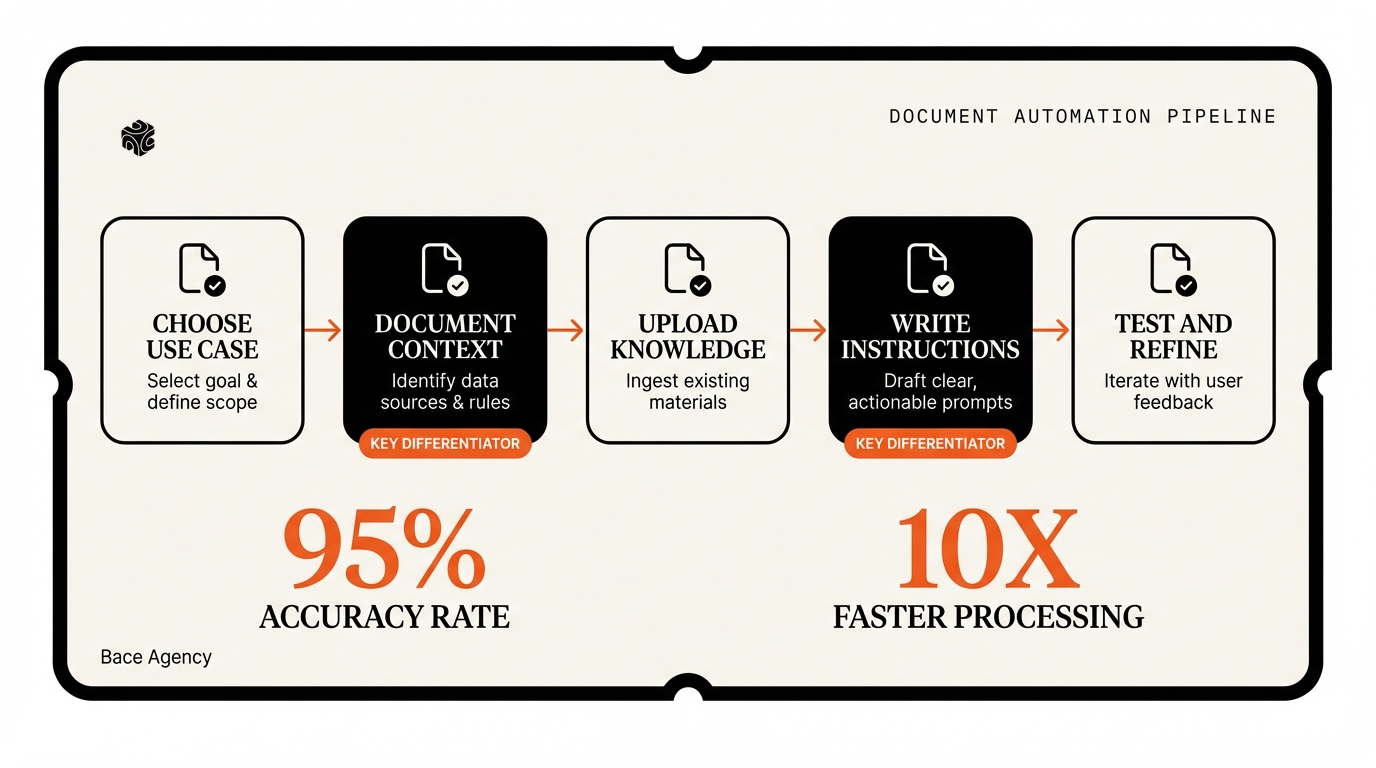
Step 1: Choose Your Use Case
Don't try to solve everything at once. Pick one specific business process. The best first Projects are:
- Client communication (emails, proposals, follow-ups)
- Document review (contracts, applications, reports)
- Content creation (marketing materials, social posts, newsletters)
- Research and analysis (market research, competitive analysis)
A Lake Bluff insurance agency started with client email responses. They were spending 2 hours daily on routine inquiries about policy changes, claims status, coverage questions. Perfect Project candidate.
Step 2: Document Your Context
This is where most people fail. They give Claude generic information. "We're a law firm." "We help businesses." That's not context — that's nothing.
Here's what I told that insurance agency to include:
- Specific services: Auto, home, business, life insurance in Lake County
- Client demographics: 65% homeowners, 35% small business owners, average age 45
- Communication style: Professional but friendly, no insurance jargon
- Common questions: Policy changes, claims process, coverage limits, billing
- Approval processes: What needs manager review vs. automatic approval
Step 3: Upload Your Knowledge Base
Projects can hold up to 200,000 words across multiple documents. This is huge. Upload:
- Style guides and brand guidelines
- Process documents and SOPs
- Template libraries
- Product/service descriptions
- FAQ documents
- Sample communications
That Highland Park financial advisor I mentioned? She uploaded her entire client onboarding checklist, compliance requirements, and investment philosophy. Now Claude knows exactly how she works with new clients.
"Give me six hours to chop down a tree and I will spend the first four sharpening the axe."
— Abraham Lincoln, on preparation
Step 4: Write Your Project Instructions
This is your Project's "constitution." Be specific. Here's a template I use:
"You are an AI assistant for [Company Name], a [specific business description] serving [target market] in [location]. Your role is to [specific function].
Key information about our business: [bullet points of critical context]
When responding: [communication style, tone, format requirements]
Always: [non-negotiables - what Claude must always do]
Never: [restrictions - what Claude must never do]"
Step 5: Test and Refine
Start with simple requests. "Draft a response to a client asking about policy renewal." "Summarize this contract for key terms." "Create a follow-up email for yesterday's meeting."
The Lake Bluff agency tested with 5 common email scenarios. Claude's first attempt was 80% there. Two rounds of instruction refinement got them to 95%. Now their agents just paste client emails and get draft responses in 30 seconds.
95%
Accuracy rate after two rounds of Project instruction refinement
Creating Custom Skills for Your Business
Skills are where Claude becomes truly powerful for business owners. Think of them as digital standard operating procedures that Claude follows perfectly every time.
I discovered this working with a Wilmette law firm that does estate planning. They had a 12-step process for reviewing wills, but different attorneys would skip steps or apply them inconsistently. Human error. Skills solved this completely.
The Skills Framework I Use
Every Skill needs four components:
- Trigger: What activates this Skill
- Input: What information Claude needs
- Process: Step-by-step instructions
- Output: Exact format and requirements
Here's a real Skill I created for a Kenilworth financial advisor:
"Skill Name: Client Risk Assessment
Trigger: When asked to assess client risk tolerance
Input Required: Client age, income, investment timeline, experience level, major financial goals
Process:
- Calculate risk capacity based on age and timeline (30+ years = high capacity, 10-15 years = moderate, under 10 = conservative)
- Assess risk tolerance from experience and comfort level
- Identify any unique circumstances (major expenses, dependents, debt)
- Recommend portfolio allocation using our firm's model portfolios
- Note any red flags or special considerations
Output Format: Risk Profile Summary with allocation percentages and rationale."
Business-Specific Skills That Work
After implementing Skills for dozens of North Shore businesses, these categories deliver the best ROI:
Document Analysis Skills: Contract review, application processing, compliance checking. A Highland Park law firm created a contract review Skill that identifies 15 specific risk factors in employment agreements. Cuts review time from 45 minutes to 12 minutes.
Communication Skills: Email responses, proposal generation, client updates. That Lake Forest insurance agency has Skills for claims updates, policy explanations, and renewal reminders. Each follows their exact communication guidelines.
Research and Analysis Skills: Market research, competitive analysis, due diligence. A Winnetka PE firm uses Skills to analyze potential acquisitions — same criteria, same format, every time.
"Standardization does not mean we all wear the same color shirt. It means we all follow the same proven process."
— Sam Walton, on operational consistency
Writing Skills Correctly
Most people write Skills like suggestions. "Maybe consider..." "You might want to..." Wrong. Skills should be commands.
Bad: "When reviewing contracts, you might want to look for problematic clauses."
Good: "Step 1: Scan for indemnification clauses. Flag any that exceed standard liability limits. Step 2: Identify termination conditions. Highlight any that favor the other party. Step 3: Review payment terms. Calculate if net terms exceed 30 days."
The difference is precision. Claude follows precise instructions perfectly. Vague instructions get vague results.
Testing Your Skills
I test every Skill with three scenarios: easy, typical, and edge case.
For that estate planning law firm, I tested their will review Skill with:
- Easy: Simple will, married couple, standard provisions
- Typical: Complex family structure, trust provisions, tax considerations
- Edge case: Unusual assets, international elements, contested provisions
The Skill handled easy and typical perfectly. Edge cases needed refinement. Two iterations later, it works flawlessly on all three.
12x
Faster document review with properly configured Skills
Real-World Business Applications
Theory is nice. Results matter. Here are five real implementations from my North Shore clients, with exact outcomes and ROI.
Case 1: Family Office Investment Research (Glencoe)
This family office manages $2.8B across 12 families. Their investment team was spending 15+ hours per week on initial due diligence research. Same process every time, but manually intensive.
I created a Project called "Investment Research Hub" with Skills for:
- Company financial analysis
- Competitive positioning review
- ESG compliance checking
- Risk factor identification
The Project includes their investment criteria, risk parameters, and reporting templates. Their team now inputs a ticker symbol and gets a complete preliminary research packet in 20 minutes.
Results: 15 hours/week down to 4 hours. 73% time savings. $180,000 annual cost reduction based on analyst time.
Case 2: Insurance Claims Processing (Lake Forest)
This agency processes 200+ auto claims monthly. Each claim requires documentation review, coverage verification, and liability assessment. Highly repetitive but error-prone when rushed.
Their Project "Claims Central" contains policy templates, coverage matrices, and liability guidelines. Three Skills handle:
- Initial claim triage
- Coverage determination
- Settlement range calculation
Claims processors upload photos and police reports. Claude provides structured analysis following their exact guidelines.
Results: Processing time per claim: 45 minutes to 18 minutes. Error rate: 8.2% to 1.1%. Customer satisfaction up 34% due to faster resolution.
Case 3: Contract Review Automation (Highland Park Law Firm)
This firm reviews 40-50 employment contracts monthly for corporate clients. Each review takes 60-90 minutes and requires partner oversight. Expensive and time-consuming.
I built a Project with their contract review checklist, legal precedents, and risk tolerance guidelines. The main Skill follows their 18-point review process exactly.
Associates upload contracts and get detailed analysis highlighting risks, missing clauses, and recommended changes. Partners review the analysis, not the full contract.
Results: Initial review time: 75 minutes to 22 minutes. Partner review time: 30 minutes to 8 minutes. Firm can handle 67% more contracts with same staff.
"The best time to plant a tree was 20 years ago. The second best time is now."
— Chinese Proverb, on getting started with systematic improvements
Case 4: Marketing Content Engine (Winnetka Wealth Management)
This RIA publishes weekly market commentary, monthly client newsletters, and quarterly investment insights. Content creation was consuming 12 hours weekly of advisor time.
Their "Content Studio" Project includes brand guidelines, client personas, investment philosophy, and regulatory constraints. Skills cover:
- Market commentary creation
- Client newsletter generation
- Social media post writing
- Compliance review
They input market data and key themes. Claude generates first drafts following their style and compliance requirements.
Results: Content creation time: 12 hours to 3 hours weekly. Consistency dramatically improved. Can now publish 2x more content with same effort.
Case 5: Client Onboarding System (Evanston Financial Planning)
This fee-only planning firm's onboarding process was a bottleneck. Each new client required 4-5 hours of document review, plan creation, and meeting preparation.
The "Client Onboarding" Project contains their planning methodology, regulatory requirements, and communication templates. Skills handle:
- Document analysis and summarization
- Goal identification and prioritization
- Initial plan framework creation
- Meeting agenda preparation
Clients complete intake forms and upload documents. Claude analyzes everything and creates a preliminary planning framework.
Results: Onboarding prep time: 4.5 hours to 1.8 hours. Can handle 35% more new clients. Client satisfaction improved due to faster plan delivery.
$847K
Combined annual cost savings across these five implementations
Advanced Workflows and Integration
Once you master basic Projects and Skills, the real magic happens with advanced workflows. I'm talking about Claude working seamlessly with your existing business systems.
Most business owners stop at simple question-and-answer. But Claude can integrate with your CRM, automate document workflows, and trigger actions in other systems. Here's how the sophisticated operators do it.
CRM Integration Workflows
A Wilmette insurance brokerage connected their Claude Project to their Applied Epic system. When new prospects submit applications, Claude:
- Analyzes the application for risk factors
- Pulls comparable policies from their system
- Generates initial quotes from 3 carriers
- Creates personalized proposal document
- Updates CRM with analysis and next steps
The broker reviews and approves, but Claude does 80% of the work. Proposal generation went from 2 hours to 20 minutes.
Document Workflow Automation
That Highland Park law firm I mentioned? They took their contract review Skill to the next level. Now when contracts arrive by email:
- Claude extracts and categorizes key terms
- Compares against their standard provisions
- Generates redlined versions with comments
- Creates summary memo for client
- Schedules follow-up tasks in their practice management system
Partners spend time on strategy, not document markup.
Multi-Step Business Processes
Here's where Projects and Skills become powerful. You can chain multiple Skills together for complex workflows.
A Lake Bluff family office created this investment analysis chain:
- Research Skill: Analyzes company financials and market position
- Screening Skill: Applies their investment criteria and ESG requirements
- Risk Assessment Skill: Evaluates downside scenarios and portfolio impact
- Recommendation Skill: Generates formal investment memo with reasoning
Input: "Analyze AAPL for potential $5M investment." Output: Complete investment analysis following their exact process.
"Automation applied to an efficient operation will magnify the efficiency. Automation applied to an inefficient operation will magnify the inefficiency."
— Bill Gates, on the importance of good processes before automation
Quality Control and Oversight
Advanced users build quality control into their workflows. Claude can be both the worker and the supervisor.
That Glencoe family office has a "Quality Review" Skill that:
- Checks investment memos for completeness
- Verifies calculations and assumptions
- Ensures compliance with their investment policy
- Flags anything requiring human review
Two layers of AI review before human oversight. Errors dropped 89%.
Performance Monitoring
Smart operators track their AI performance. I help clients monitor:
- Task completion times (before vs. after)
- Error rates and quality scores
- Staff time savings and cost reduction
- Client satisfaction improvements
A Kenilworth wealth manager tracks 12 KPIs related to their Claude implementation. They know exactly which Skills deliver ROI and which need improvement.
Scaling Across Teams
The most sophisticated implementations scale across entire organizations. Multiple Projects, shared Skills, standardized processes.
That Evanston financial planning firm now has:
- "New Client" Project for onboarding
- "Ongoing Planning" Project for existing clients
- "Marketing" Project for content and outreach
- "Operations" Project for internal processes
Each team member accesses relevant Projects. Consistency across the entire firm.
Integration with Make and Zapier
Advanced users connect Claude to automation platforms. When specific triggers happen in their business systems, Claude automatically executes Skills and updates records.
Example from a Winnetka insurance agency: New claim filed → Claude analyzes photos → Determines coverage → Updates claim system → Sends client update → Schedules adjuster if needed.
All automatic. Humans handle exceptions only.
The Bace Agency Approach
When I implement advanced workflows for North Shore businesses, I follow a specific methodology:
- Process Mapping: Document current workflows in detail
- Automation Opportunities: Identify repetitive, rule-based tasks
- Integration Planning: Map connections between systems and processes
- Pilot Implementation: Start small with one workflow
- Measurement and Optimization: Track results and refine
- Scaling: Roll out across teams and processes
This systematic approach ensures ROI and minimizes disruption.
89%
Error reduction with two-layer AI quality control workflows
Frequently Asked Questions
How much does it cost to implement Claude Projects and Skills for my business?
Claude Pro costs $20 per user monthly, which includes Projects and Skills. Implementation time varies by complexity — simple setups take 2-4 hours, advanced workflows can take 1-2 weeks. Most North Shore businesses see ROI within 30-60 days through time savings alone. Bace Agency's implementation packages start at $2,500 for basic setups.
What's the difference between Claude Projects and OpenAI's custom GPTs?
Claude Projects maintain context across longer conversations and handle larger document uploads (200k words vs 20k). Skills provide more structured task automation than GPT instructions. Claude also offers better reasoning for complex business logic. However, custom GPTs integrate better with Google Workspace and Microsoft tools.
Can Claude Projects access my existing business systems like CRM or accounting software?
Claude cannot directly connect to external systems, but you can create workflows using Make or Zapier to bridge the gap. Upload data to Claude, get AI analysis, then automatically update your systems with results. This requires some technical setup but delivers powerful automation capabilities.
How do I ensure data security when using Claude Projects for sensitive business information?
Claude for Work offers enterprise security features including SOC 2 compliance and data residency controls. Avoid uploading personally identifiable information or confidential client data. Use anonymized examples and general business processes instead. Many North Shore firms create separate Projects for different sensitivity levels.
What happens if Claude makes mistakes in business-critical tasks?
Always build human oversight into your workflows. Use Claude for initial analysis and draft generation, not final decisions. Create quality control Skills that double-check important outputs. Most successful implementations use Claude to enhance human judgment, not replace it entirely. Error rates typically drop below 2% with proper setup and oversight.
Frequently Asked Questions
How much does it cost to implement Claude Projects and Skills for my business? +
Claude Pro costs $20 per user monthly, which includes Projects and Skills. Implementation time varies by complexity — simple setups take 2-4 hours, advanced workflows can take 1-2 weeks. Most North Shore businesses see ROI within 30-60 days through time savings alone. Bace Agency's implementation packages start at $2,500 for basic setups.
What's the difference between Claude Projects and OpenAI's custom GPTs? +
Claude Projects maintain context across longer conversations and handle larger document uploads (200k words vs 20k). Skills provide more structured task automation than GPT instructions. Claude also offers better reasoning for complex business logic. However, custom GPTs integrate better with Google Workspace and Microsoft tools.
Can Claude Projects access my existing business systems like CRM or accounting software? +
Claude cannot directly connect to external systems, but you can create workflows using Make or Zapier to bridge the gap. Upload data to Claude, get AI analysis, then automatically update your systems with results. This requires some technical setup but delivers powerful automation capabilities.
How do I ensure data security when using Claude Projects for sensitive business information? +
Claude for Work offers enterprise security features including SOC 2 compliance and data residency controls. Avoid uploading personally identifiable information or confidential client data. Use anonymized examples and general business processes instead. Many North Shore firms create separate Projects for different sensitivity levels.
What happens if Claude makes mistakes in business-critical tasks? +
Always build human oversight into your workflows. Use Claude for initial analysis and draft generation, not final decisions. Create quality control Skills that double-check important outputs. Most successful implementations use Claude to enhance human judgment, not replace it entirely. Error rates typically drop below 2% with proper setup and oversight.
Want to see how AI fits in your firm?
Book a free 30-minute AI audit. No obligation, no pitch deck.
Book a Free AI Audit →