
What Lake Forest Business Owners Should Know About AI in 2026
Key Takeaways
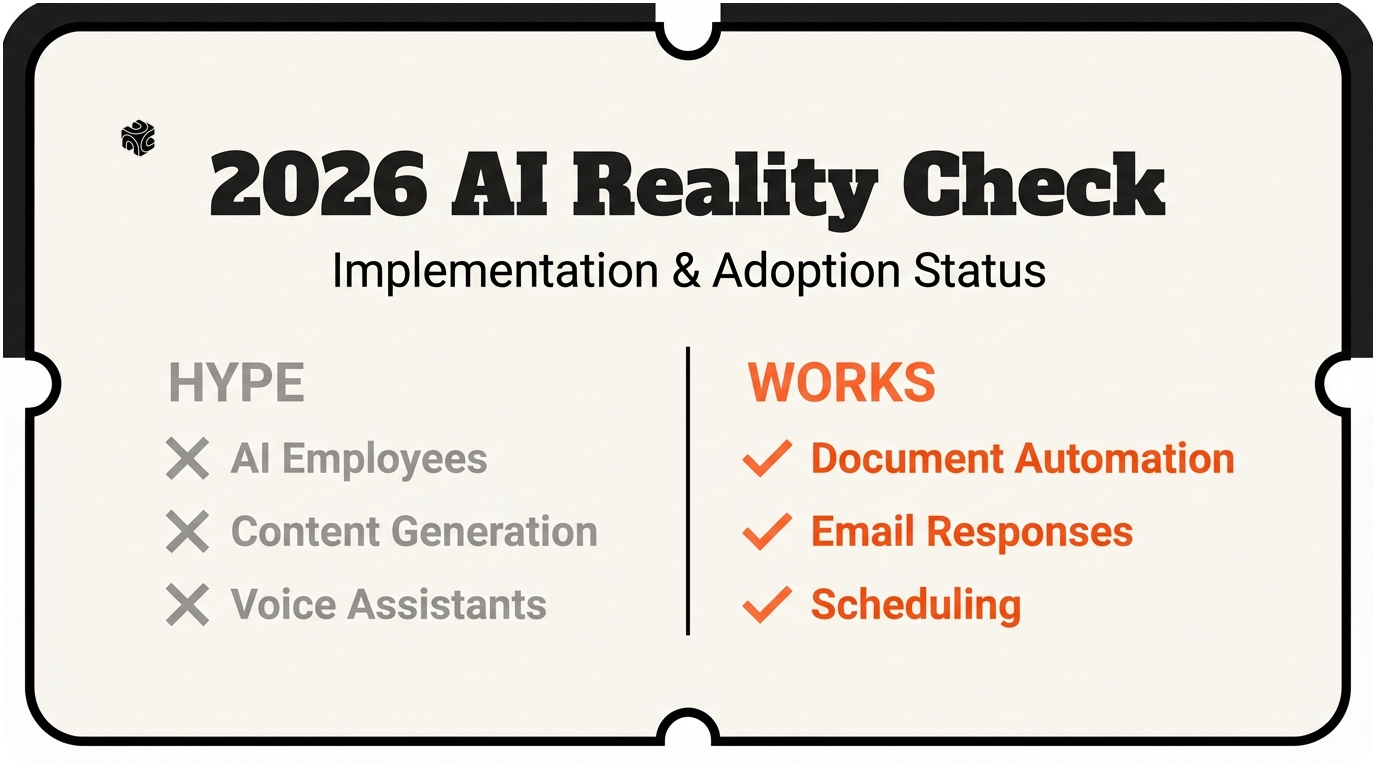
- ✓ AI works best for repetitive tasks with clear rules, not creative work or complex decision-making
- ✓ Document processing and email automation deliver measurable ROI for most North Shore businesses
- ✓ Start with one specific problem and solve it completely before expanding to other processes
I've been working with Lake Forest businesses for three years now. I've seen firms jump on every AI trend that comes along. And I've watched just as many get burned by shiny new tools that promise the world.
Here's what I'm seeing in 2026. Some AI advances are game-changers for North Shore firms. Others are just expensive distractions.
Let me break down what's actually worth your time and money this year.
AI That Actually Works for Lake Forest Firms
The AI tools making real money for my Lake Forest clients aren't the flashy ones you see in tech blogs. They're boring. They solve boring problems. And that's exactly why they work.
Document processing is huge right now. I worked with a Highland Park law firm last month. They were drowning in intake forms. New client paperwork took their paralegal 3 hours per case. Now it takes 15 minutes.
Here's how it works. The AI reads the form. It pulls out key information. Names, dates, case type, contact info. Then it fills out their case management system automatically. The paralegal just reviews and clicks approve.
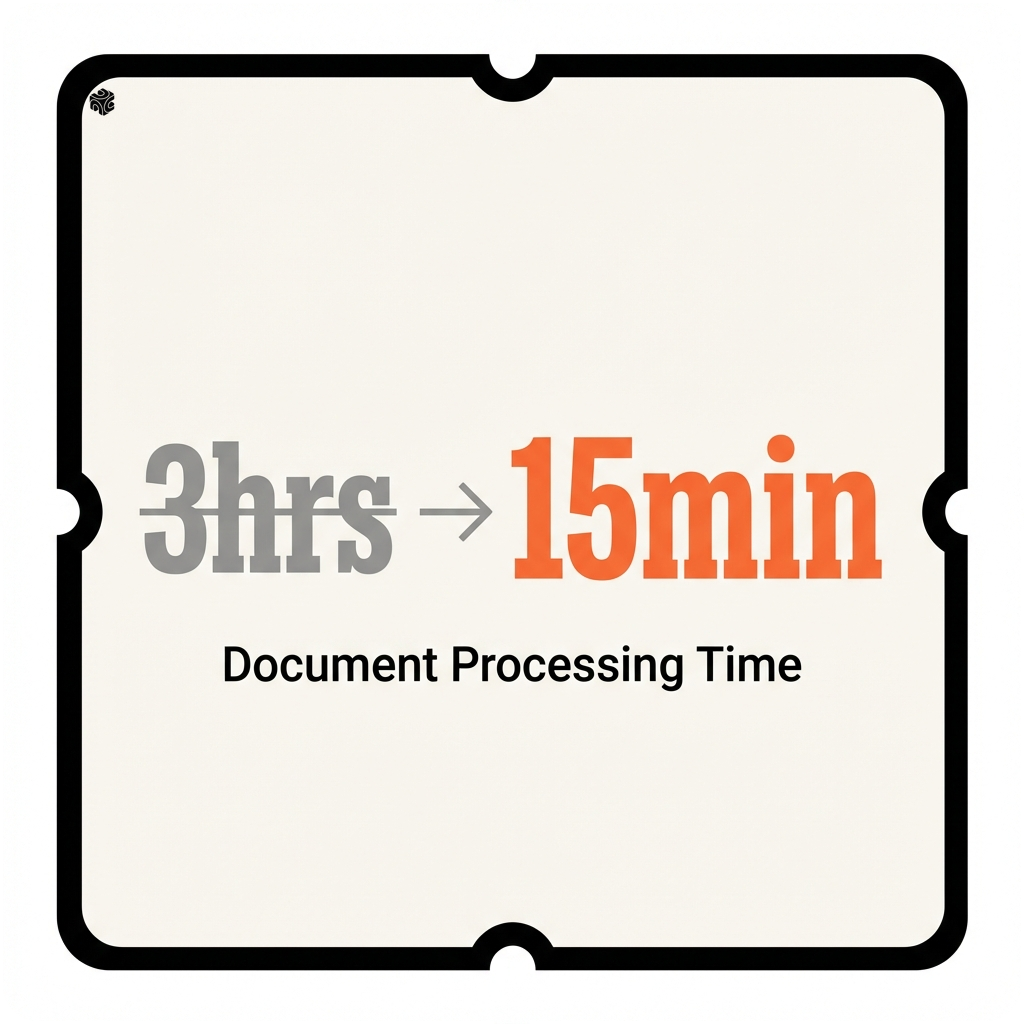
Think of it like having a really fast reader who never gets tired. They can scan a 20-page document in seconds. They find exactly what you need. They never miss a deadline or forget a detail.
Email automation is another winner. But not the kind that sends spam. I'm talking about smart responses to common questions.
A Winnetka financial advisor was spending 2 hours a day answering the same questions. "What documents do I need for our meeting?" "Can you send me the fee schedule again?" "How do I access my client portal?"
Now his AI assistant handles these instantly. It knows which documents each client needs based on their situation. It can schedule follow-up meetings. It even updates their CRM when someone downloads a form.
The advisor still handles complex questions. But he's not typing the same email 15 times a day anymore. He's using those 2 hours to actually advise clients.
Calendar management is getting really smart too. The old AI schedulers were clunky. You'd end up with back-to-back meetings or double bookings.
The new ones understand context. They know you need 15 minutes between client meetings. They won't schedule a difficult conversation right before lunch. They can even suggest the best time slots based on your energy patterns.
I set one up for a Lake Forest insurance agency. Their agents were playing phone tag with clients all day trying to schedule reviews. Now clients book their own appointments. The system knows each agent's specialties and availability. It even sends reminder emails automatically.
Customer service chatbots have gotten way better. The 2023 versions were terrible. They gave wrong answers. They couldn't understand simple questions. Clients hated them.
The 2026 versions are different. They're trained on your specific business. They know your products, your policies, your common problems. And when they can't help, they hand off to humans gracefully.
A Glencoe family office uses one on their website. It answers basic questions about services. It can schedule introductory calls. It even qualifies prospects before they talk to an advisor. The humans get better leads, and the prospects get faster answers.
The key is picking AI that solves real problems. Not problems you might have someday. Problems you have right now that cost you time or money every single day.
Overhyped AI Trends to Skip
Let me save you some money. There are AI trends that sound amazing but don't work for most Lake Forest businesses.
AI-generated content is the biggest trap. I see firms spending thousands on tools that write blog posts and social media.
Here's the problem. The content is generic. It sounds like every other company in your industry. Clients can tell it's not written by a human. And Google is getting better at spotting AI content too.
I had a Kenilworth wealth management firm ask me about this. They wanted AI to write their quarterly newsletter. I told them to keep writing it themselves. Their clients read it because it sounds like them. AI can't replicate that personal voice.
Now, AI can help with content. It can suggest topics. It can help you organize your thoughts. It can even write a first draft that you heavily edit. But it shouldn't replace your actual expertise and personality.
Predictive analytics is another overhyped area. Every AI vendor promises to predict your customer behavior. They'll tell you which clients are likely to leave. Which prospects are most likely to buy.
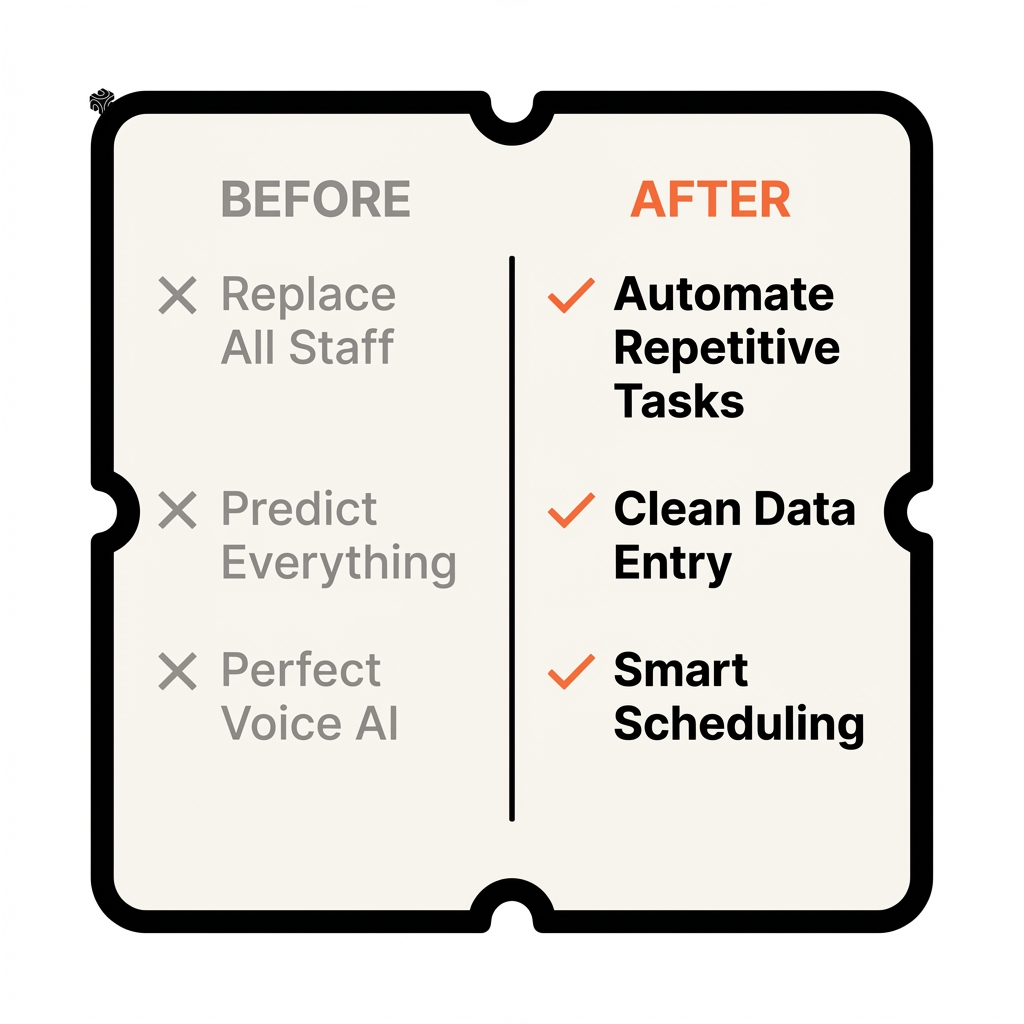
The truth is, most small businesses don't have enough data for meaningful predictions. You need thousands of customers and years of history. A Lake Forest insurance agency with 500 clients doesn't have enough data points.
Plus, these systems are often wrong. I've seen them predict that a client's best customer was about to leave. The prediction was based on email open rates. Turns out the client was on vacation.
Voice AI is getting a lot of hype too. The demos look incredible. You talk to the AI like it's a human assistant. It understands context and nuance.
But voice AI works best in controlled environments. Call centers with specific scripts. Not general business use where conversations can go anywhere.
I tested voice AI for a Lake Bluff law firm's intake process. It worked great when callers asked standard questions. But when someone called about a unique situation, the AI got confused. It kept asking the caller to repeat themselves.
The technology will get there. But it's not ready for most business applications yet.
AI employees are the newest hype. Companies selling AI that can "replace entire departments." They show demos of AI handling complex workflows from start to finish.
I've tested these systems. They break down quickly when they encounter something unexpected. And in real business, unexpected things happen all the time.
A client calls with a question that's 90% standard but has one unique twist. A vendor changes their process slightly. A form gets updated with new fields. The AI employee can't adapt.
Human employees adjust naturally. AI needs to be retrained every time something changes. That's expensive and time-consuming.
The pattern I see is this: AI works great for repetitive tasks with clear rules. It struggles with creative work, complex decisions, and unexpected situations.
Before you invest in any AI tool, ask yourself: Is this solving a repetitive problem with clear rules? Or is it trying to replace human judgment and creativity?
Real ROI: North Shore Success Stories
Let me show you what actual AI success looks like for North Shore businesses. These are real numbers from real clients.
A Highland Park insurance agency came to Bace Agency in March 2025. They were drowning in quote requests. Each quote took their agents 45 minutes to prepare. They were only closing 1 in 7 quotes.
We built an AI system that reads the client's information and pulls quotes from multiple carriers instantly. The agent reviews the options and customizes the recommendation. Total time: 8 minutes per quote.
Here's the math. They went from processing 20 quotes per week to 60 quotes per week. Same staff, same hours. Their close rate stayed the same, so they tripled their new business.
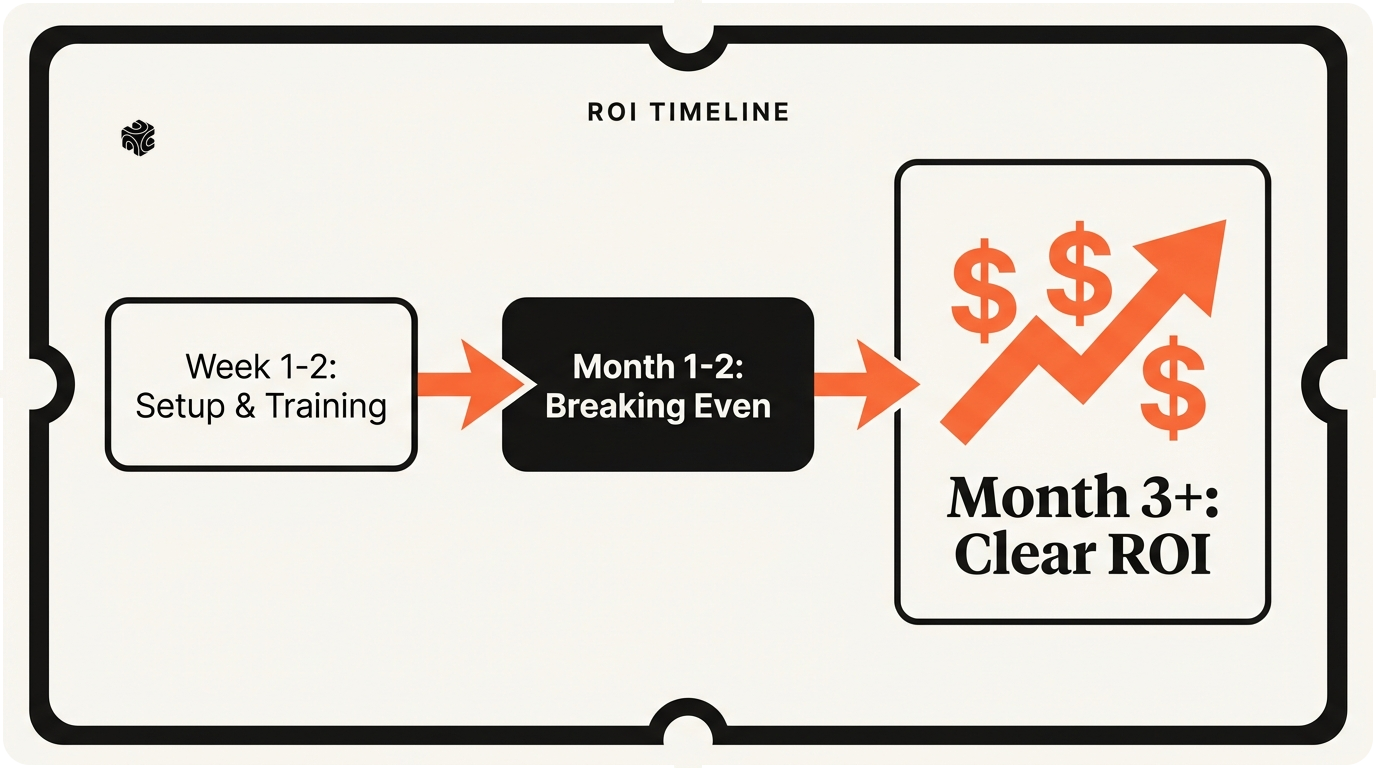
The system paid for itself in 6 weeks. Now they're the fastest quote turnaround in their market.
37 minutes
Saved per insurance quote with AI automation
An Evanston financial planning firm had a different problem. Client onboarding was taking forever. New clients had to fill out 12 different forms. Then someone had to manually enter all that information into their planning software.
The process took 4 hours of staff time per client. And there were always errors. Typos in account numbers. Wrong birthdates. Missing beneficiary information.
We connected their intake forms directly to their planning software. Clients still fill out the forms, but the AI reads them and populates everything automatically. Staff just reviews for accuracy.
Onboarding time dropped from 4 hours to 30 minutes. Error rate went from about 6% to under 1%. New clients start getting advice faster, and the staff can focus on actual planning work.
A Wilmette law firm tackled billing automation. Partners were spending 3 hours every Friday reviewing timesheets and generating invoices. The process was mind-numbing but required judgment calls.
Some activities bill at full rate. Others get discounted. Some clients have special arrangements. Junior associate time gets marked down if it took too long.
The AI learned their billing rules by analyzing 2 years of historical invoices. Now it generates draft invoices automatically. Partners review and approve in 20 minutes instead of 3 hours.
That's 2 hours and 40 minutes back in their week. At partner billing rates, that AI system pays for itself every single month.
Here's what these success stories have in common. They all automated specific, repetitive tasks. They didn't try to replace human expertise. They just eliminated the boring, time-consuming work that keeps experts from doing expert-level tasks.
The ROI is measurable. Time saved, errors reduced, capacity increased. No fuzzy benefits like "improved customer experience." Though that happens too.
The other common factor: realistic expectations. These firms didn't expect AI to transform their entire business overnight. They picked one process that was clearly broken and fixed it with AI.
Then they moved on to the next process. Small wins that compound over time.
That's how you get real ROI from AI. Not by betting the farm on some revolutionary new technology. But by systematically eliminating waste and inefficiency.
Common Implementation Mistakes I See
I've watched a lot of Lake Forest firms stumble with AI. The mistakes are usually predictable. And expensive.
The biggest mistake is starting too big. Firms want to automate their entire customer journey on day one. They spend months planning some elaborate AI system that touches everything.
I worked with a North Shore wealth management firm that wanted to do this. They mapped out 47 different processes they wanted to automate. Customer onboarding, portfolio analysis, compliance reporting, client communications, billing, everything.
Six months and $80,000 later, nothing was working. The system was too complex. Too many moving parts. Every time they fixed one thing, two other things broke.
We scrapped it all. Started over with just client intake forms. Got that working perfectly in 3 weeks. Then we added portfolio reporting. Then compliance checks. One piece at a time.
The whole system took 8 months to build, but it actually worked. And they were getting benefits from month one instead of month six.
Another common mistake: not training staff properly. Firms buy AI tools and expect employees to figure them out. That never works.
AI tools are different from regular software. They need to be trained on your specific business. They make mistakes at first. Someone needs to know how to correct them and improve their performance.
A Glencoe insurance agency bought an AI scheduling tool. They turned it on without any training. Clients started booking appointments that conflicted with existing meetings. The AI was double-booking agents because it didn't understand their calendar system.
After a week of confused clients and frustrated agents, they turned it off. They almost wrote off AI entirely.
We came in and spent two days training their staff. Showed them how to set up the AI's calendar rules. How to handle conflicts when they arise. How to improve the system's performance over time.
Now it's one of their most valuable tools. But they almost gave up because nobody knew how to use it properly.
Data quality is another killer. AI is only as good as the data you feed it. If your customer database is full of outdated information and typos, AI will make those problems worse.
I see this all the time. Firms have been using their CRM for years without cleaning it up. Duplicate contacts, wrong phone numbers, missing email addresses. Then they wonder why their AI email automation isn't working.
You have to clean your data before you automate anything. It's boring work, but it's essential. Otherwise you're just automating mistakes at high speed.
Security is often overlooked too. AI tools handle sensitive business data. Client information, financial records, legal documents. But firms don't always think about where that data is going.
Some AI tools send your data to third-party servers for processing. Others store it in the cloud indefinitely. You need to understand exactly how your data is being handled.
This is especially important for financial and legal firms. You have compliance requirements. Your clients trust you with sensitive information. One data breach could destroy your reputation.
Always ask AI vendors about data security. Where is your information stored? Who has access to it? How is it protected? Can you delete it completely if needed?
The last big mistake: no clear success metrics. Firms implement AI without defining what success looks like. Then they can't tell if it's actually helping.
Before you start any AI project, decide how you'll measure success. Time saved? Errors reduced? Revenue increased? Customer satisfaction improved?
Pick specific numbers you can track. Then measure them regularly. If the AI isn't delivering measurable improvements, either fix it or scrap it.
AI should make your business measurably better. If you can't measure the improvement, you probably don't have one.
How to Start Smart with AI
Here's how I tell Lake Forest business owners to approach AI. Start small. Pick one specific problem. Solve it completely. Then move to the next one.
Begin with your biggest time-waster. What task takes the most time for the least value? Usually it's data entry, scheduling, or document processing. Something repetitive that anyone could do but requires human attention.
Map out exactly how that process works now. Who does what? How long does each step take? What information moves from step to step? Where do mistakes usually happen?
This mapping exercise often reveals problems you didn't know you had. Redundant steps. Information that gets entered multiple times. Handoffs that create delays.
Sometimes you can fix these problems without AI. simplify the process first, then see if AI can help with what's left.
When you're ready for AI, start with proven tools. Don't build custom solutions unless you absolutely have to. There are good AI tools for most common business processes.
For document processing, try tools like DocuSign or PandaDoc with AI features. For email automation, start with established platforms like HubSpot or Mailchimp. For scheduling, try Calendly or Acuity with smart features enabled.
These tools have been tested by thousands of businesses. They have support teams that can help you set them up. They're less risky than custom AI development.
Budget for training and setup time. Plan to spend 2-3 weeks getting any AI tool working properly. Your staff needs time to learn it. The AI needs time to learn your business.
Don't expect immediate perfection. AI tools improve over time as they process more of your data. Be patient with the learning curve.
Set up proper monitoring from day one. Track the metrics that matter to you. Time saved, errors reduced, customer satisfaction, whatever you decided to measure.
Review these metrics monthly. If the AI isn't delivering the benefits you expected, troubleshoot quickly. Maybe the setup needs adjustment. Maybe staff need more training. Maybe the tool isn't right for your business.
Consider working with a local expert, especially for your first AI project. Someone who understands North Shore businesses and can guide you through the process.
Bace Agency helps Lake Forest firms implement AI step by step. We start with an assessment of your current processes. Then we recommend specific tools that fit your needs and budget.
Most importantly, we train your staff to manage the AI tools themselves. You shouldn't be dependent on outside help for day-to-day operations.
The goal is to make AI a natural part of how your business operates. Not some special technology that requires expert management.
Want to see if your business is ready for AI? Take our AI readiness assessment. It takes 5 minutes and gives you specific recommendations for your situation.
Or if you're ready to start planning your first AI project, book a free consultation. We'll analyze your biggest time-wasters and show you exactly how AI could help.
The firms that succeed with AI in 2026 won't be the ones that chase every trend. They'll be the ones that pick practical tools, implement them carefully, and measure the results.
That's how you get real value from AI. Not by revolutionizing everything at once, but by solving one problem at a time until your whole business runs more efficiently.
Ready to discover how AI can transform your Lake Forest business? Schedule your free 30-minute consultation today. I'll analyze your biggest operational challenges and show you exactly which AI solutions deliver real ROI for North Shore firms like yours.
Frequently Asked Questions
What AI tools work best for small Lake Forest businesses? +
Document processing, email automation, and smart scheduling deliver the best ROI for most Lake Forest firms. These tools solve repetitive problems with clear rules, making them reliable and cost-effective for businesses with 10-50 employees.
How much should I budget for AI implementation? +
Most Lake Forest businesses see good results with $2,000-5,000 for their first AI project, including setup and training. Focus on proven tools rather than custom development to keep costs manageable and results predictable.
How long does AI implementation take? +
Plan 2-3 weeks for setup and staff training on your first AI tool. Simple document automation can be working in days, while complex workflows may take 4-6 weeks to perfect. Start small and expand gradually.
Is my business data secure with AI tools? +
Data security depends on the specific AI vendor and setup. Always ask where your data is stored, who has access, and how it's protected. For Lake Forest financial and legal firms, choose vendors with SOC 2 compliance and clear data deletion policies.
What's the biggest mistake businesses make with AI? +
Trying to automate everything at once instead of starting with one specific problem. Lake Forest firms that succeed pick their biggest time-waster, solve it completely with AI, then move to the next process systematically.
Want to see how AI fits in your firm?
Book a free 30-minute AI audit. No obligation, no pitch deck.
Book a Free AI Audit →