
How to Build and Effectively Use Claude Skills for Your Team
A Skill is a written playbook Claude follows every time, so your team stops re-explaining the same process in every new chat.

Why Generic Prompts Waste Your Team's Time
Every team using Claude the same way hits the same wall. Someone writes a sharp prompt, gets a clean result, and by Friday nobody remembers the exact wording that made it work. The next person starts from a blank page and re-explains the brand voice, the report format, or the onboarding answer all over again. That is not a Claude problem. It is a nobody-wrote-it-down problem, and it costs a team real hours every week.
Claude Skills fix this by turning your team's best prompt into a standing instruction Claude checks every time a matching task comes up. I implemented my first team Skill in under an hour, no code and no developer, and it has stayed consistent since. Here is how to build one.
What Are Claude Skills?
A Skill is a short, reusable package of instructions, and sometimes reference files, that lives inside Claude.ai under Customize > Skills. You write it once, in plain English: what the task is, when Claude should use it, and exactly how the output should look. Turn it on, and Claude applies it automatically whenever a request matches, in any chat, without anyone retyping the brief. Anthropic's own documentation covers the full feature if you want the technical detail.
This is different from the developer side of Claude, where an engineer wires Claude directly into a CRM or database using API tools defined in code, an approach we covered separately in how a growing business can build an AI playbook with Claude Skills. That path needs a developer and a codebase. A Skill needs neither. It is built for a manager or team lead who wants Claude to work the way the team already works.
Step-by-Step: Building a Team Skill
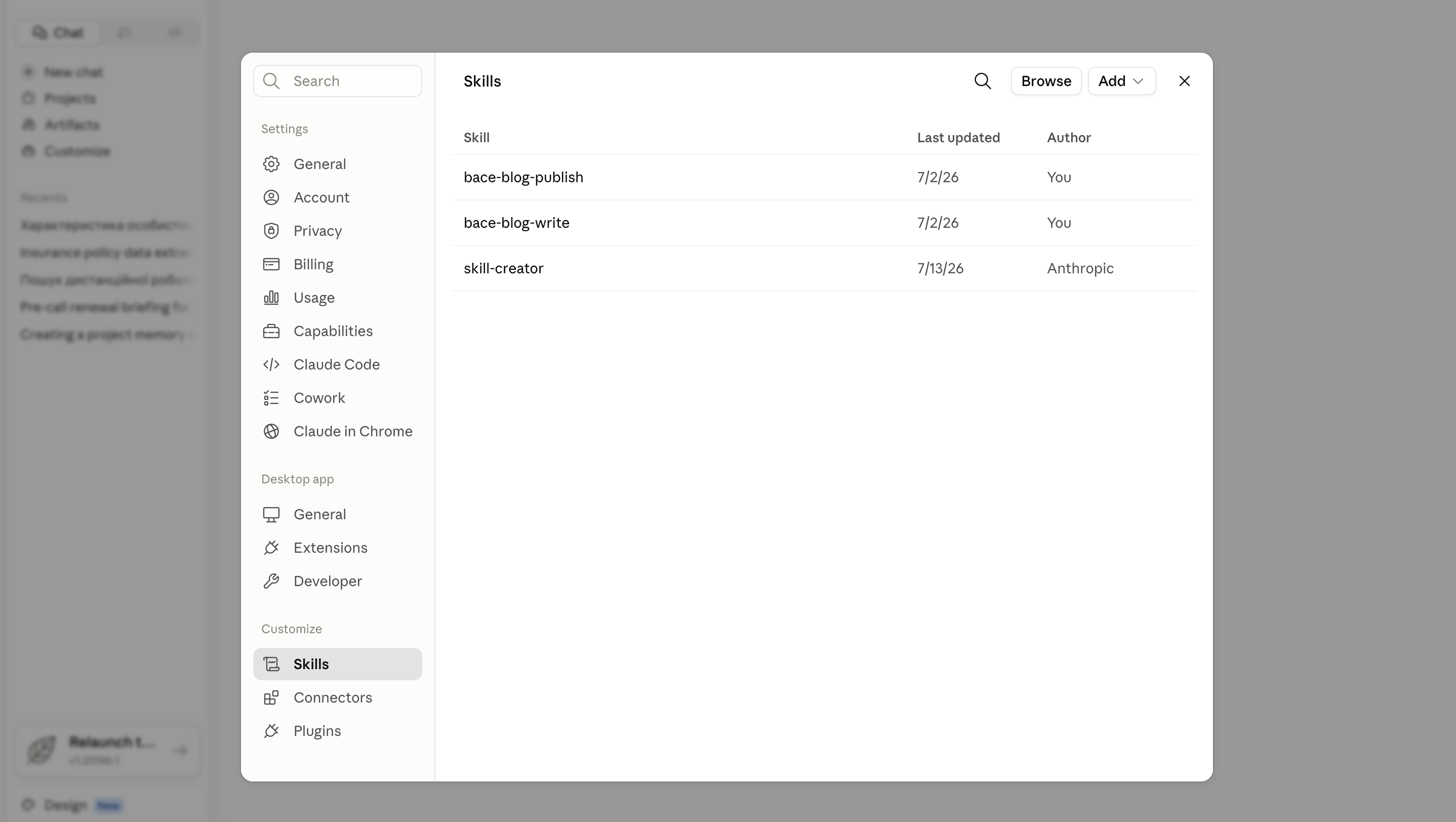
Step 1: Find Customize > Skills. Open Claude.ai and confirm code execution is turned on in Settings > Capabilities, the one setting Skills depend on. Then go to Customize > Skills, click "Add," and choose how you want to build the Skill.
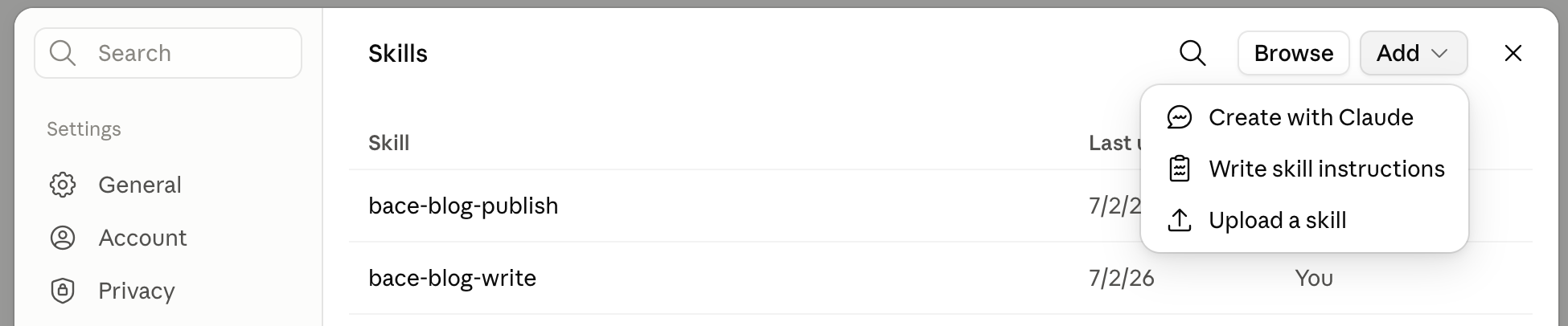
This page also lists Anthropic's built-in Skills (document and spreadsheet creation, for example) alongside anything your team has already uploaded.
Step 2: Write the skill.md playbook. Every Skill is built around one file, skill.md. Do not let the filename intimidate you: it is a text file, and the fastest way to write it is to describe the task to Claude directly and ask it to draft the file for you. Give it three things: the role Claude should play, the style or voice to use, and the rules the output must always follow.
SAMPLE CLAUDE PROMPT
"Write a skill.md file for a Skill called weekly-sales-report. Use it whenever I paste in raw pipeline notes. The output should always be five lines: pipeline value, closed deals this week, at-risk accounts, next week's priorities, and one flag for leadership if something needs attention. Keep the description under 200 characters and specific enough that you would use this Skill without me naming it. Package it as a ZIP file I can upload to Claude's Skills page."
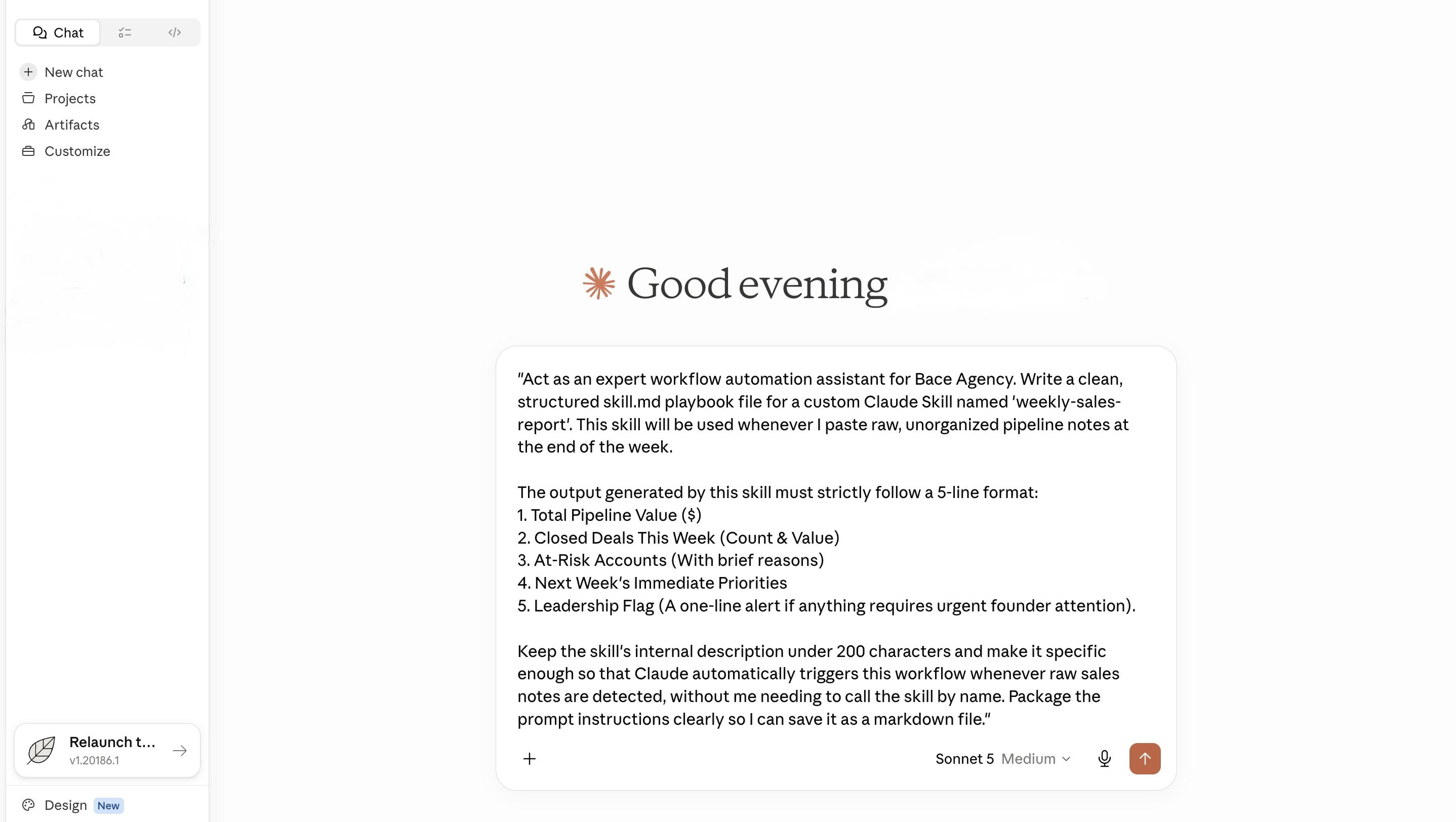
Step 3: Package and roll it out. Claude can zip the finished file for you in the same chat. Download it, go back to Customize > Skills, click the "+" button, then "+ Create skill," then "Upload a skill," and select the file. Toggle it on and it is live. On a Team or Enterprise plan, an owner can turn on sharing so the same Skill reaches every account on the team instead of staying on one person's login.
Three Real-World Business Uses
- Standardizing brand voice. A five-person marketing team can upload a Skill that holds the firm's approved tone, banned words, and sentence-length rules, so every draft, from a client email to a landing page, reads like one voice wrote it, whoever is actually typing.
- Formatting weekly sales reports. A sales lead can build a Skill that takes raw pipeline notes and turns them into the same five-line report every Friday, instead of reformatting the update from scratch each week.
- Onboarding new team members. New hires ask the same first-week questions. A Skill trained on the employee handbook and internal FAQs answers them consistently on day one, so a manager stops repeating the same conversation every time someone joins.
The Payoff
None of this needs a developer, a budget line, or a procurement process. It needs someone on the team willing to write the instructions down once. What comes back is consistency: the same brand voice, the same report format, the same onboarding answer, no matter who is at the keyboard. Most teams I have worked with get a working Skill live in under a day, then spend the following week tightening the description until Claude picks it up every time without being asked by name.
A Skill vs. Retyping the Prompt vs. a Custom Build
A Skill is not the only way to get consistent output from Claude. Here is how the three real options compare for a team.
| Claude Skill | Typing the prompt each time | A custom-built integration | |
|---|---|---|---|
| Setup | Write it once, upload it, done | None, but the cost shows up every single time | Requires a developer and a codebase |
| Consistency | The same every time, for everyone who has it turned on | Depends on who remembers the wording that day | The same every time, plus it can touch your own systems |
| Best for | A repeatable task your team does inside Claude itself | A one-time question that will not come up again | A workflow that needs to run automatically or pull from a CRM or database |
Where This Goes Next
A Skill is the cheapest, fastest fix for the kind of inconsistency that quietly costs a team hours every week. It is also a starting point. Once a workflow is proven inside a Skill, the next question is usually whether it should run automatically, pull from your own systems, and stop needing a human to paste anything in. That is the kind of build we scope under our AI automation and workflow service, during a free 30-minute AI audit, in person on the North Shore or by video.
Frequently Asked Questions
Do I need a developer to build a Claude Skill? +
No. A Skill is a text file with a name, a description, and plain-English instructions. You can write it yourself, or ask Claude to draft it for you, then upload the finished file in Customize > Skills.
Can my whole team use the same Skill? +
On Team and Enterprise plans, yes, once an owner turns on sharing. The Skill can then reach every account on the team instead of staying on the account that uploaded it.
Why isn't Claude using the Skill I uploaded? +
Check that it is toggled on in Customize > Skills, and that the description clearly states when it should be used. A vague description is the most common reason Claude skips a Skill it should have used.
Related Articles
Context Windows: Why AI Drifts on Long Documents
AI answers a short question brilliantly, then gets lost in a forty-page contract. The reason is one concept, the context window, and it changes how you should feed it documents.
Claude Projects Fix AI That Fell Flat
Most firms try AI, see no value, and conclude it's an overhyped toy. The problem is almost always one thing: they never gave it context.
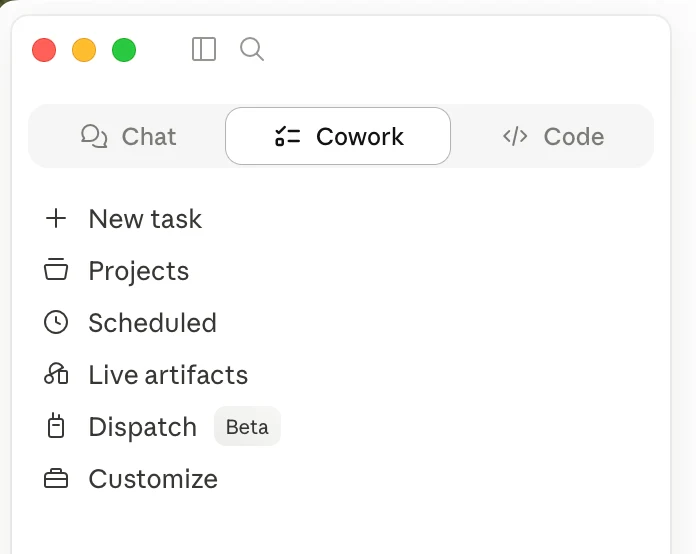
Most of Claude Is Behind a Download
If you only use Claude in a browser tab, you have seen the demo, not the product. The desktop app reads your files, runs multi-step tasks, and works on a schedule. Most firms never install it.
About the author

Written by
Michael Pavlovskyi
Founder, Bace Agency
Michael builds custom Claude and GPT workflows for insurance agencies, law firms, and PE firms on Chicago's North Shore. Speaker at Northwestern and Lake Forest College on practical AI adoption for professional services.
Connect on LinkedInSee it in your firm
Book an audit.
A free 30-minute AI audit. No obligation, no pitch deck.
Book a free AI audit