
Legal Workflow Software Is Not a Workflow
Law firms spend thousands on practice management software and still run their actual process on the institutional knowledge stored in one partner's head.

Key Takeaways
- ✓ Practice management software like Clio, MyCase, and PracticePanther stores tasks and documents. It does not contain your firm's actual workflow, which is the sequence of decisions that moves a matter from intake to close.
- ✓ The real workflow lives in the senior attorney's head, in the paralegal's habits, and in the unwritten rules everyone follows without knowing why. When those people leave, the workflow leaves with them.
- ✓ AI can encode that decision sequence. Not replace it, but capture it so the firm's process runs consistently without depending on any one person holding all the steps in memory.
- ✓ A Lake Forest firm that maps and encodes its intake and matter-progression process in AI can handle the same caseload with a smaller support staff and without the institutional knowledge risk that comes with every departure.
If your Lake Forest law firm runs on Clio or MyCase, you have paid for a container. What you have not yet built is a workflow.
That distinction sounds technical. It is not. It is the difference between software that stores what needs to happen and a process that decides, based on where things stand, what should happen next. Most North Shore firms have the former. Very few have built the latter.
Legal workflow software is a task container, not a process engine. It stores what needs to happen; it does not decide when, why, or in what order based on the matter's current state. The actual workflow, the sequence of decisions that moves a matter forward, lives in your staff's heads. AI can encode that sequence so the firm does not depend on any single person holding it in memory.
Most law firms run their matters on a combination of good software and institutional memory. The software handles the calendar, the billing, and the document storage. The institutional memory handles everything else: which matters need a call before a letter, which clients expect updates every Friday regardless of what has happened, which file types go to the partner before they go to the client. These are real decisions that happen dozens of times a week in a medium-size firm. None of them live in the software.
That arrangement works until it does not. A good paralegal leaves. A partner retires. The firm grows fast enough that the people who used to sit three offices apart now work on different floors. The institutional memory that held the workflow together starts to fray, and suddenly the same matter type is being handled differently depending on who picks it up. Quality becomes inconsistent. Clients notice before the firm does.
What Legal Workflow Software Actually Is
Legal workflow software is a database with a task manager attached.
That is a plain description of what the leading tools do. Clio, which reported more than 150,000 legal professionals on its platform as of its most recent growth disclosures, lets you create matter records, attach documents, log time, run conflict checks, and build task templates that fire automatically when a case type opens. MyCase does the same. PracticePanther does the same. Filevine and Litify, which runs on Salesforce, add more customization, but the underlying structure is the same: a record of the matter, a list of tasks attached to it, and a way to track billable time against both.
None of this is a criticism. These tools are genuinely valuable. The ability to build a repeatable task template, so that when a new estate planning matter opens a checklist of 20 actions appears and gets assigned to the right staff, is a real improvement over doing the same thing from memory every time. The problem is not what the software does. The problem is what firms believe the software does.
The belief, stated plainly, is this: we have workflow software, so we have workflows. Most firms that have bought a practice management system believe, at least implicitly, that they have automated their practice. They have automated their task list. That is a different thing, and the gap between the two is where most law firms leak time and money without knowing it.
A task list is a menu. A workflow is the cook. The menu tells you what is available. The cook decides, given what the client ordered, what the conditions are, and what judgment applies, what to prepare and in what order. When a complication arrives, a menu does not adapt. A cook does. A North Shore firm running on task templates has a very organized menu. What it needs is the cook.
What Does a Real Legal Workflow Look Like?
A workflow is a decision engine, not a checklist.
Here is the difference. A task list says: send engagement letter, due in three days. A workflow says: if the initial consultation surfaced a potential conflict of interest, stop here and route to the ethics partner. If the matter type is outside the firm's core practice area, route to the appropriate outside referral and send the standard referral letter. If the client is a referral from Partner A and the matter is in the firm's core practice area, use Partner A's engagement letter template rather than the standard one, and flag the matter for Partner A's weekly file review.
None of that second sequence is in your practice management software. It is in someone's head. It was learned by watching. It was never written down. And it runs correctly only as long as the person who learned it is still in the building and still remembers which rule applies to which situation.
| Dimension | Task List in Software | Actual Legal Workflow |
|---|---|---|
| What it contains | Checkboxes and due dates | Decisions, conditions, and handoffs |
| What triggers the next step | A human marking a task complete | The current state of the matter |
| What happens when something unusual occurs | The task stays on the list; nothing changes | A decision path handles the exception |
| Who drives progress | Whoever notices the overdue task | The process itself |
| What survives when a key person leaves | The task list; not the judgment | If properly encoded: both |
The firms that run most consistently are not the ones with the most comprehensive task templates. They are the ones whose institutional judgment is captured somewhere besides the senior attorney's memory. For most North Shore practices, that capture has never happened. The first step is recognizing that the software, however good, is not the workflow. The workflow is what happens between the tasks.
McKinsey's 2023 analysis of generative AI's economic potential identified legal work, specifically document review, legal research, and standardized communication, as among the higher-potential areas for AI-based automation. The constraint McKinsey's researchers found was not the technology. It was the absence of documented processes to automate. Most law firms have not written down their decision logic clearly enough to give AI something to run.
That constraint is fixable. It is not a technology problem. It is a documentation problem. And it is the one that most law firms skip when they buy workflow software, because the software does not ask them to document the workflow. It just asks them to enter the tasks.
Why Does This Distinction Cost Law Firms Money?
The cost shows up in three places, each of which is measurable and none of which shows up cleanly on a traditional law firm P&L.
The first is staff dependency. When the workflow lives in one person's head, that person becomes both a bottleneck and a single point of failure. The firm cannot grow past what that person can supervise. It cannot survive that person's departure without a painful rebuilding period. The American Bar Association's law practice research consistently identifies attorney and paralegal turnover as one of the primary sources of institutional knowledge loss in small and mid-size firms. When you lose a person and their workflow knowledge at the same time, you lose both the body and the mind of that process.
The second is quality inconsistency. If two associates handle the same matter type differently, and the difference comes from what each one was told by whoever trained them rather than from a written process, client outcomes vary. Some clients get the Friday update call. Some do not. Some engagement letters go out in three days. Some go out in ten. The software records both timelines faithfully. It does not flag the inconsistency or explain it. Quality variation in a professional services firm is not just a client satisfaction issue. It is a liability exposure issue.
The third is time spent on coordination instead of counsel. Clio's Legal Trends Report has consistently found that attorneys bill an average of just 2.9 hours per day despite working eight hours or more. A significant portion of the remaining time disappears into administrative coordination: checking on task status, re-explaining the next step, routing a matter that could be routed automatically, and tracking down a document that the software stores but does not surface in context. That is not billable time. It is workflow time that the absence of a real workflow forces attorneys to supply manually, every day, for every matter.
"Efficiency is doing things right; effectiveness is doing the right things."
Peter Drucker, management consultant and authorThe distinction Drucker draws maps directly onto the software-versus-workflow problem. Practice management software makes firms more efficient at the task level. It does not make the firm more effective at delivering consistent, well-routed, institutional-knowledge-backed legal work. Effectiveness requires the workflow. Software handles the efficiency of the shell around it. A firm can be very organized at the wrong level of abstraction, and that is exactly the position most North Shore law firms are in today.
What AI Actually Adds to a Legal Workflow
AI does not fix your task list. AI can encode your decision process. Those are different tools solving different problems.
If you give an AI model your task templates, you will get a slightly faster version of what you already have. If you give an AI model your decision logic, you get something that can run that logic consistently across every matter the firm handles. The second outcome is what changes the firm's capacity and quality. There are three places where encoding that logic pays off quickly for a law firm on the North Shore.
Intake screening. Most firms have a process for evaluating new matters. It involves some combination of a form, a call, a conflict check, and a decision about whether the matter is a good fit. But the evaluation criteria, the questions that determine whether this is the kind of matter the firm wants to take, live in the senior attorney's judgment. An AI intake assistant can encode that judgment. Ask it to evaluate a new inquiry against the firm's core practice areas, flag potential conflicts based on the existing client list, and draft a preliminary response. The AI does not replace the attorney's final decision. It runs the first-pass evaluation so the attorney spends time on the cases worth taking, not on the ones that clearly are not. Thomson Reuters reports that AI-assisted document review can cut processing time by up to 70 percent; the same efficiency logic applies to intake processing, where the bottleneck is evaluation time, not document volume.
I wrote in more detail about building this kind of pipeline in AI client intake automation for law firms. The structure applies to any practice area, and the same logic that reduces intake time also reduces the hours attorneys spend on matters that never should have been opened in the first place.
SAMPLE CLAUDE PROMPT
"You are reviewing a new legal intake inquiry for a Lake Forest law firm that handles estate planning, business formation, commercial contracts, and residential real estate transactions. Based on the inquiry below, do three things:
1) Determine whether this matter falls within the firm's core practice areas or should be referred out. If it should be referred, say so and name the referral category.
2) Identify any names in the inquiry that might match the attached current client list and flag potential conflicts for attorney review.
3) Draft a brief acknowledgment response, two to three sentences, that confirms receipt, does not create an attorney-client relationship, and says a team member will follow up within one business day.
Inquiry: [paste the full inquiry here]
Current client list: [paste the names here]"
Matter progression. Once a matter is open, the workflow question shifts: what should happen next? For a standard estate planning matter, the answer is knowable and consistent. Documents need to be drafted in a specific order. The client needs to review and sign in a specific sequence. The attorney needs to review specific items before they go out. That sequence can be written down. Once written down, an AI assistant can track where a matter stands against that sequence, draft the next client-facing document based on where things are, and flag when something is overdue or out of sequence. The task list in your practice management software tracks the deadlines. The AI assistant runs the logic between the deadlines.
Client communication. The third place institutional knowledge lives is in who communicates what to clients and when. Some clients expect proactive updates every two weeks. Some want to hear only when there is a decision to make. Some matters require more frequent communication during specific phases, such as right before a closing or during discovery. An AI assistant can hold those preferences, draft status updates based on actual matter progress, and flag when a client has not heard from the firm in longer than their established pattern. This is exactly the kind of workflow logic that practice management software cannot hold but a capable AI model can encode and run. I described related patterns in why Lake Forest law firms do not need the Claude API to run proactive agents, and the same principles apply here.
The common thread across all three is that AI is not adding new steps. It is capturing and running the steps that already exist inside experienced attorneys' heads, so those steps happen consistently rather than only when the right person is available and remembers to apply them.
How to Get Started
The goal is not to replace your practice management software. It is to build a layer above it that holds the decision logic the software cannot. Here is the sequence that works for a North Shore firm starting from scratch.
Map one workflow in full, decisions and all
Pick one matter type your firm handles repeatedly and write down every decision in that workflow. Not the task list. The decisions. Who evaluates the initial inquiry and on what criteria? What makes a matter a good fit or not? When a document needs partner review before it goes to the client, how does that routing happen? What happens when the client does not respond within five days? Write down every fork in the road. This exercise will surface how much of your current process is undocumented. That is the point. You cannot encode what you have not written down, and most firms discover during this step that they have never written it down at all.
Build the AI instruction set for each decision point
Take the decisions you mapped and turn each one into an instruction a capable AI model can run. Some will be simple: when the client type is individual consumer and the matter is outside the firm's core practice areas, draft a referral letter. Some will be more involved: when reviewing an estate planning intake, flag any mention of business ownership or pending litigation for partner review before proceeding. The instruction set does not have to be perfect. It has to be clear enough that the AI produces useful output and a human reviewer can check it in under two minutes per matter. That verifiability is what makes it deployable.
Run it alongside your current process for 30 to 60 days
Deploy the AI workflow in parallel with how you currently handle things, not instead of it. Compare what the AI recommends to what the human would have done. Correct the instruction set where they diverge. Once the AI's output is reliably what the attorney would have decided, you can use it as the first step rather than the parallel step. The goal is a verified process, not a trusted black box. A system the attorney can audit and correct is one the attorney can stand behind. Skipping this validation phase is the most common reason early AI workflow deployments get quietly abandoned after two months.
What This Does Not Replace
The gap between what AI can encode and what still requires a licensed attorney is significant and worth being direct about.
AI cannot replace professional judgment on complex or novel matters. If a client inquiry describes facts that are genuinely ambiguous or legally unusual, the AI assistant can flag the ambiguity and draft clarifying questions, but the attorney decides how to proceed. Legal reasoning on novel fact patterns is not a set of rules that can be encoded. It is judgment applied to situations that have not quite come up before, and that is what the bar examination tests and what bar admission requires. The AI can run the clear cases consistently and efficiently. The hard cases are still yours.
AI cannot replace the client relationship. The decision to trust a law firm with a sensitive estate or a business dispute is a human decision made on the basis of trust built over time. Technology handles the logistics of that relationship. It does not build the relationship, and it cannot substitute for it when a matter gets difficult or a client is frightened.
AI cannot replace ethical compliance. Every use of AI in a legal workflow sits underneath the attorney's professional responsibility obligations. The supervising attorney must ensure the work is competent regardless of how it was produced. An AI-drafted client letter goes out under the attorney's signature and carries the attorney's responsibility. The human review step is not optional overhead. It is the professional obligation. If you are uncertain about how AI fits within your jurisdiction's professional conduct rules, the ABA's Law Practice division has published extensive guidance on AI use in legal settings that is worth reading before deploying anything client-facing.
And AI does not fix a broken underlying process. If the workflow is unclear, inconsistent, or actively contested among the partners, encoding that ambiguity into an AI instruction set does not resolve it. It amplifies it. The first step is always to agree on the process. The second step is to encode it. A firm that skips the first step gets a very fast way to do the wrong thing consistently.
If you run a Lake Forest or North Shore law firm and want to walk through which workflow is worth encoding first and what that looks like in practice, a free 30-minute conversation is available, in person on the North Shore or by video, with no obligation.
Frequently Asked Questions
What is the difference between legal workflow software and an actual legal workflow? +
Legal workflow software is a task management system: it stores matters, documents, deadlines, and billing records. An actual legal workflow is the sequence of decisions that determines what happens next based on where a matter stands. The software holds the what; the workflow holds the when and the why. Most law firms have the software and assume it contains the workflow. It does not. The workflow typically lives in experienced staff members' heads, which means it leaves when they do.
Does AI replace practice management software like Clio or MyCase? +
No. Practice management software handles matter records, documents, billing, and task tracking. Those are functions AI does not replace. AI adds a layer above the software that holds the decision logic: who evaluates the inquiry, what criteria determine a good-fit matter, how exceptions get routed, and when communications go out. The two tools solve different problems and work together rather than competing. A firm that replaces its practice management software with AI has misunderstood what AI is for.
How does AI encode a legal workflow without inventing its own rules? +
The rules come from the firm, not the AI. The first step is mapping the firm's actual process: the decisions, the criteria, the routing logic, and the exceptions. That mapping becomes the instruction set given to the AI model. The AI runs those instructions, not rules it generated independently. When the AI's output differs from what an experienced attorney would have decided, the instruction set gets corrected. After 30 to 60 days of parallel testing, the encoded workflow reflects the firm's actual decision logic, documented and runnable.
What are the professional responsibility implications of using AI in a legal workflow? +
The supervising attorney remains responsible for the competence and accuracy of all work, regardless of how it was produced. AI-drafted documents go out under the attorney's signature and carry the attorney's professional obligations. Every client-facing output needs human review before it leaves the firm. AI reduces the time required to produce a first draft; it does not reduce the attorney's duty to verify its accuracy and appropriateness. Most state bars, including Illinois, have published guidance on AI use in legal practice that is worth consulting before deploying any client-facing workflow.
Which workflow should a law firm encode in AI first? +
Start with the workflow that happens most frequently, has the most clearly defined decision logic, and is not your highest-stakes matter type. For most North Shore law firms, that means client intake screening for their primary practice area. Intake has clear criteria, happens dozens of times a month, and has a low consequence for a first-pass error that a human catches. The experience of encoding intake teaches a firm how to document decision logic, which transfers directly to more complex workflows like matter progression and document routing.
How long does it take to build an AI-encoded legal workflow? +
Mapping one workflow and building the initial instruction set typically takes two to four hours of focused work with the attorney who runs that process. Building the AI prompt library around it takes another few hours. Running the parallel-testing phase takes 30 to 60 days, not because the technical setup takes that long, but because you need enough real matters to move through the process to verify the logic holds across different situations. The full investment from mapping to verified workflow is roughly one to two weeks of calendar time and a few days of focused internal work per workflow encoded.
Related Articles
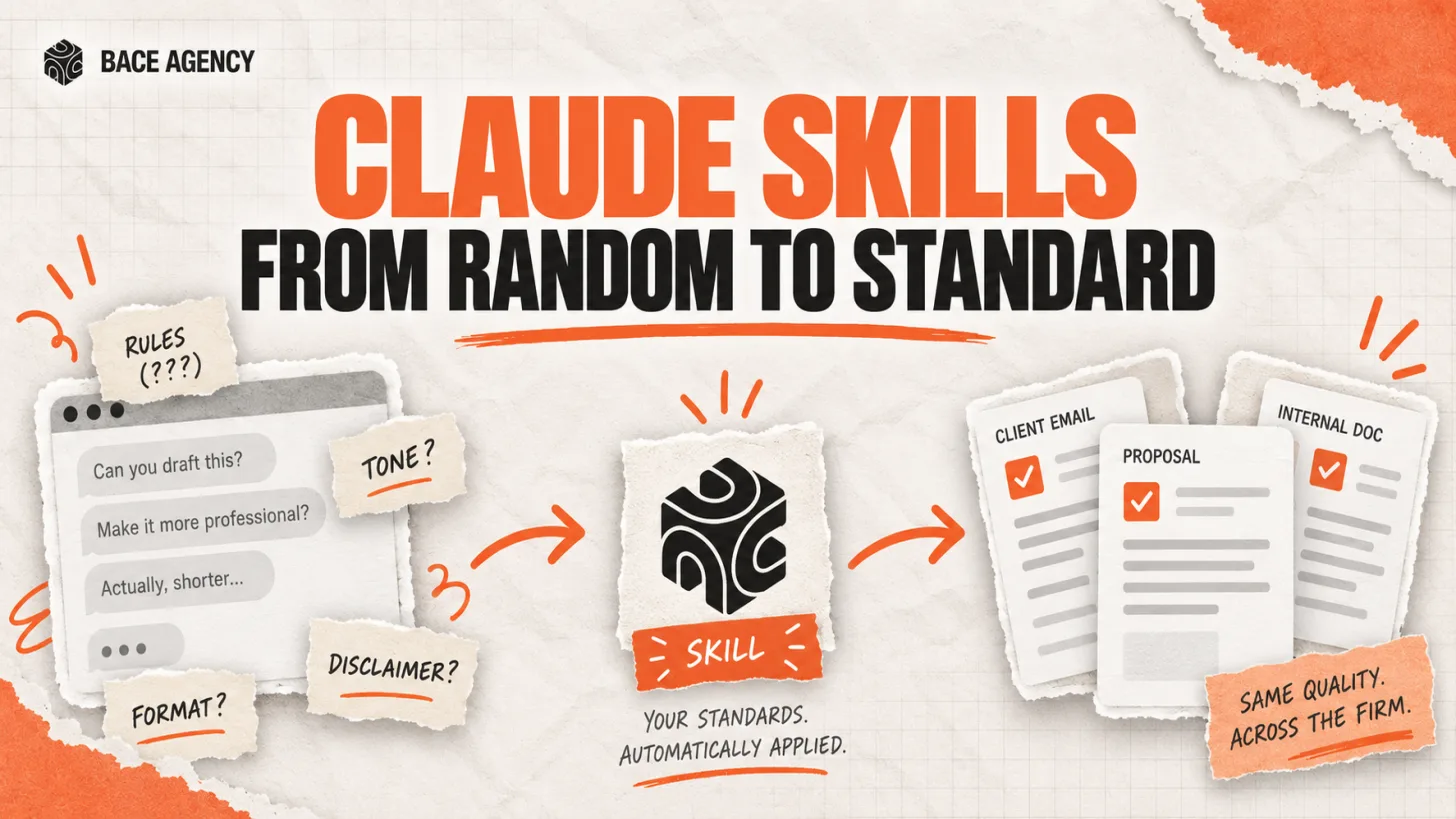
Claude Skills Give a Law Firm One AI Standard
One associate gets sharp drafts, another gets generic filler from the same tool. A Claude Skill turns one person's rules into a standard the whole firm can rely on.
Let AI Agents Handle Intake at Evanston Law Firms
Most Evanston firms still run intake on a phone and a Word template. The firms pulling ahead hand the whole new-matter pipeline to an agent, then review its work before anything reaches the client.

Oregon Federal Court Fines Lawyers $110,000 Over AI
Two lawyers were fined $110,000 for filing AI-invented case citations. The lesson is not to avoid AI. It is to verify it. Here is the workflow that prevents it.
About the author

Written by
Michael Pavlovskyi
Founder, Bace Agency
Michael builds custom Claude and GPT workflows for insurance agencies, law firms, and PE firms on Chicago's North Shore. Speaker at Northwestern and Lake Forest College on practical AI adoption for professional services.
Connect on LinkedInSee it in your firm
Book an audit.
A free 30-minute AI audit. No obligation, no pitch deck.
Book a free AI audit