
Legal AI Tools North Shore Attorneys Use Now
The tools North Shore attorneys are actually deploying in 2026, from practice management AI to autonomous legal research.


Key Takeaways
- ✓ 79 percent of legal professionals use AI in 2026, but most rely on general-purpose tools not built for legal work, leaving firm-specific gains unrealized.
- ✓ Clio Manage AI is the highest-value entry point for small North Shore firms already on Clio, adding AI to an existing workflow at no extra charge on qualifying plans.
- ✓ CoCounsel is built on the Claude Agent SDK and runs multi-step legal research autonomously, but it only makes sense if your firm already pays for Westlaw.
- ✓ Harvey AI is the dominant platform at AmLaw 100 firms, but its 20-seat minimum at $1,200 per seat per month puts it out of reach for boutique North Shore practices, and that is the right call.
If your North Shore law firm is using ChatGPT the same way it used Google, you are not alone. Roughly 79 percent of legal professionals now use AI, according to Clio's 2025 Legal Trends for Solo and Small Law Firms report. But only 40 percent of those firms have moved to legal-specific tools. The rest are running intake, research, and client communication through a general-purpose chatbot not built for their workflow. That gap is exactly where boutique Lake Forest, Highland Park, and Wilmette practices are either falling behind or pulling ahead.
The AI Adoption Gap Most Law Firms Don't See
Here is the number that should concern you. Among all AI-using law firms, only 36 percent report a positive revenue impact. But among firms that have adopted AI widely across their practice, that number jumps to 69 percent, per Clio's research. The difference is not which model they run. It is whether the firm moved from dabbling to actually integrating AI into daily workflows.
That means the question is not "should we use AI?" It is "which tool fits which job?" The 2026 legal AI market has split into four categories worth knowing about if you run a boutique practice in Lake Forest, Kenilworth, or anywhere else on the North Shore:
- Practice management AI: Deadline extraction, billing, task prioritization, and client communication (Clio Duo, now called Manage AI)
- Legal research AI: Multi-step autonomous research over legal databases (CoCounsel, Lexis+ with Protégé)
- Contract drafting AI: Clause drafting, redlining, and market comparison inside Microsoft Word (Spellbook)
- Enterprise legal platforms: Full-service AI for AmLaw 100 shops (Harvey AI)
If your firm is in the under-20-attorney range, the first three categories are where your time and budget belong. Here is what is working in each.
79%
of legal professionals use AI in 2026
Clio 2025 Legal Trends Report
69%
revenue impact rate at firms with wide AI adoption
vs. 36% at low-adoption firms
53%
of legal professionals say their firm has no AI policy
Clio 2025 Legal Trends Report
Practice Management AI: Start With What You Already Use
For a Highland Park or Lake Forest firm already running on Clio, the highest-value first move is turning on Clio Duo (now called Manage AI). It is included at no extra charge on Clio's Advanced and Complete plans, and on the Elite tier at $159 per user per month on annual billing. It handles the work most associates and paralegals spend the first hour of their day on: extracting deadlines from court documents, drafting client updates, summarizing matter history before a call, and generating invoice line items from time entries.
Clio says Manage AI helps legal professionals reclaim up to five hours a week. That number varies by how well the firm is already organized in Clio's matter database. If your matters are messy, the AI still works, but the output will reflect the input. A few hours cleaning up your matter templates before activating Manage AI pays off quickly.
For firms not yet on Clio, this is worth noting: the practice management layer is where most boutique attorneys will see the fastest return on AI, because it is structured work on structured data. A billing record, a court filing date, a client name. General-purpose chatbots struggle here because they do not have access to your data. Purpose-built tools like Clio Duo do.
If you want a picture of where AI fits before committing to any subscription, the Bace Agency AI readiness quiz walks you through your firm's specific situation in about five minutes and shows you where automation makes financial sense and where it does not.
"The best service is no service: every interaction a customer has to take should be seen as a defect."
Jeff Bezos, Amazon shareholder lettersThe same logic holds for a law firm. Every call a client makes to ask about their matter status is a defect in your communication workflow. AI-drafted updates remove that friction before it builds. And as I covered in the piece on proactive AI agents for Lake Forest law firms, you do not need an expensive API build to get there. A well-configured flat consumer plan handles most of what a boutique practice needs.
Legal Research AI: CoCounsel and Lexis+ With Protégé
If your practice involves significant litigation or regulatory research, this is where specialized tools pull away from general-purpose AI most decisively. Thomson Reuters' CoCounsel and LexisNexis' Lexis+ with Protégé both put a generative AI layer on top of their legal research databases. You get not just search, but structured work product: research memos, case summaries, deposition prep outlines.
CoCounsel's standout capability is Deep Research. It runs multi-step research autonomously: builds a plan, pulls sources from Westlaw, verifies citations, and delivers structured output in one pass. Thomson Reuters built CoCounsel's current generation on Anthropic's Claude Agent SDK, which means it can handle mid-workflow pivots that a senior associate would make when a search returns an unexpected result. For a Wilmette or Evanston firm handling complex commercial matters, this replaces hours of associate time, not just a search box.
LexisNexis rebranded its AI product as Lexis+ with Protégé in February 2026. If your firm already subscribes to LexisNexis, Protégé is the logical companion to activate.
The honest caveat on both: you cannot buy them without their underlying database subscriptions. CoCounsel requires Westlaw. Lexis+ with Protégé requires a LexisNexis subscription. For a single-attorney practice in Lake Forest, the combined cost can reach $400 to $600 per month per user, which makes sense only if you are actively using the database anyway. If your firm already pays for one of these databases, the AI add-on is a straightforward decision. If you are evaluating both the database and the AI for the first time, run the math on how many billable research hours the tool needs to offset each month before you commit.
| Tool | Best For | Approximate Monthly Cost | Key Capability |
|---|---|---|---|
| Clio Manage AI | Solo and small firms already on Clio | Included in Elite plan ($159/user/mo) | Billing, deadlines, client communication |
| CoCounsel (Westlaw) | Litigation-heavy firms already on Westlaw | $400 to $600/user (bundled) | Deep Research: multi-step autonomous research |
| Lexis+ with Protégé | Firms already on LexisNexis | Add-on to existing LexisNexis subscription | AI search and summarization over LexisNexis corpus |
| Spellbook | Transactional and contract-heavy practices | ~$350/user/mo (enterprise) | Clause drafting and redlining in Microsoft Word |
| Harvey AI | AmLaw 100 and large firms only | $1,200/seat/mo (20-seat minimum) | Full-suite enterprise: diligence, drafting, research |
For matters that run longer than a single session, such as multi-day discovery or extended deal diligence, I covered how Claude's Managed Agents work for Wilmette law firms handling document review and conflict checks. The cloud-hosted approach keeps tasks running even after you close your laptop, which changes the math on what a two-partner firm can take on without additional headcount.
Contract Drafting AI: Spellbook in Microsoft Word
If your North Shore practice is transactional, Spellbook is the tool getting the most real-world use among mid-market firms right now. It runs natively inside Microsoft Word, which means zero change to the tool your attorneys already open every morning. You draft the contract, Spellbook flags the risks, suggests clause language, and since January 2026, compares your specific deal terms against thousands of similar agreements by industry and jurisdiction. The result: a data-backed view of whether a clause is favorable, unfavorable, or market-standard, alongside AI-generated redline language.
More than 4,000 legal teams use Spellbook. Enterprise plans run roughly $350 per user per month with a six-month minimum commitment. For a two- to five-attorney transactional firm in Lake Forest or Kenilworth, that is a real line item, but it is a fraction of what a Harvey AI seat costs, and Spellbook does not require a 20-seat minimum or a year-long commitment upfront.
The underlying model is a mix of Claude and GPT-5 depending on the task. For drafting and redlining, the output is comparable to what a well-briefed mid-level associate would produce on a clean contract. On more complex negotiation points, Spellbook surfaces the market data. The attorney still makes the call.
SAMPLE CLAUDE PROMPT
"I am a transactional attorney in Illinois. I have attached an asset purchase agreement. Please review the indemnification section and flag any clause that appears outside market-standard for a mid-market transaction below $10M in enterprise value. For each flagged clause, explain why it is aggressive or unusual and suggest redline language that would bring it to market. Note any positions that would be considered seller-favorable vs. buyer-favorable under Illinois law."
How to Choose Without Overpaying
The clearest mistake small North Shore firms make is buying an enterprise tool because it has the best benchmark scores, not because it fits their workflow. Harvey AI is the dominant platform at AmLaw 100 firms. It reached $190 million in annual recurring revenue and raised $200 million at an $11 billion valuation in March 2026, per CNBC's reporting. More than 100,000 lawyers across 1,300 organizations use it. But its 20-seat minimum at $1,200 per seat per month puts it out of reach for boutique practices, and that is the right call. A tool designed for a 500-attorney firm does not fit a 5-attorney firm in Glencoe.
Here is how to think about the decision:
-
1Map your time first.
Before buying any tool, track where your attorney and paralegal hours actually go for one week. Billing, research, drafting, client communication, or intake? The category where you lose the most time is where to start.
-
2Match the tool to the workflow.
Practice management bottleneck? Start with Clio Manage AI. Research bottleneck and already on Westlaw? Activate CoCounsel. Contract drafting bottleneck? Evaluate Spellbook. Do not layer three AI subscriptions before you have proven one is working.
-
3Run a 30-day pilot before a 12-month commitment.
Most mid-market legal AI tools offer trial access. Clio has a 7-day trial. Use that window to run actual work through the tool, not toy examples. If the output is not meaningfully better than what you have now, do not sign the annual contract.
One note on confidentiality before you start: 53 percent of legal professionals say their firm has no AI policy, per Clio's data. Before you run a client document through any AI tool, check whether the vendor's terms protect client confidences. Clio and Thomson Reuters both offer enterprise data agreements. Claude's Team and Enterprise plans offer zero data training retention. This is not a reason to wait. It is a reason to pick the right tier of a reputable tool rather than running sensitive matter files through a free consumer account.
"Measurement is the first step that leads to control and eventually to improvement."
Peter Drucker, management authorThe North Shore firms that lead on legal AI over the next two years will not be the ones that bought the most tools. They will be the ones that identified one workflow, deployed one tool to fix it, measured the result, and then moved to the next. That is the pace that compounds. The firms still waiting for a clear winner to emerge are already paying the cost of delay in attorney hours that did not need to be billed that way.
Ready to figure out where AI fits in your specific practice? Book a free 30-minute AI audit with Bace Agency and we will walk through your firm's workflow, your existing tools, and the two or three places where a focused AI deployment would actually move the needle.
Frequently Asked Questions
What legal AI tools are North Shore small law firms using in 2026? +
The most widely adopted legal AI tools among small and boutique North Shore law firms in 2026 fall into three categories. For practice management, Clio Duo (now called Manage AI) is the leading option for firms already on Clio, handling billing, deadlines, and client communication. For legal research, CoCounsel (bundled with Westlaw) and Lexis+ with Protégé (bundled with LexisNexis) handle multi-step autonomous research for litigation-heavy practices. For contract drafting, Spellbook runs inside Microsoft Word and is used by more than 4,000 legal teams for clause drafting, redlining, and market-standard comparisons. Harvey AI dominates at AmLaw 100 firms but requires a 20-seat minimum that puts it out of reach for most boutique practices.
Is Harvey AI worth it for a small boutique law firm? +
No. Harvey AI is designed for large law firms and requires a minimum of 20 seats at $1,200 per seat per month, which equals roughly $288,000 per year before generating a single document. For a boutique practice of under 20 attorneys on the North Shore, Harvey AI is not available and is not the right fit. The better alternatives are Clio Manage AI for practice management, CoCounsel or Lexis+ with Protégé for legal research (if you already subscribe to Westlaw or LexisNexis), and Spellbook for contract drafting.
What is Clio Duo and how does it help a North Shore law firm? +
Clio Duo, rebranded as Manage AI, is an AI assistant embedded in Clio's practice management platform. It extracts deadlines from court documents, drafts client communications, summarizes matter history, and generates billing entries from time records. It is included at no extra charge on qualifying Clio plans (Advanced, Complete, and Elite). Clio reports that Manage AI helps legal professionals reclaim up to five hours per week by automating the structured, repetitive work that typically fills the first hour of an attorney's day. It is the highest-value AI entry point for small firms already using Clio because it fits an existing workflow with no additional software to install.
Is CoCounsel the same as Westlaw? +
No, but they are bundled. CoCounsel is a generative AI assistant built by Thomson Reuters on top of the Westlaw legal research database. It adds autonomous, multi-step research capabilities: CoCounsel can build a research plan, pull and verify citations from Westlaw, and deliver a structured memo or work product in a single pass. You cannot buy CoCounsel without a Westlaw subscription. For a single-attorney practice, the combined cost of Westlaw Precision with CoCounsel runs roughly $400 to $600 per month. Thomson Reuters built the current generation of CoCounsel on Anthropic's Claude Agent SDK.
How should a North Shore law firm start with legal AI without overcommitting? +
Start by tracking where your attorney and paralegal hours actually go for one week. The category with the most lost time is the category to solve first. Then match one tool to that workflow: Clio Manage AI for practice management, CoCounsel or Lexis+ with Protégé for legal research, or Spellbook for contract drafting. Run a 30-day pilot using actual client work (with appropriate confidentiality protections) before signing an annual contract. Do not layer multiple AI subscriptions at once. Prove one is working before adding the next.
Related Articles
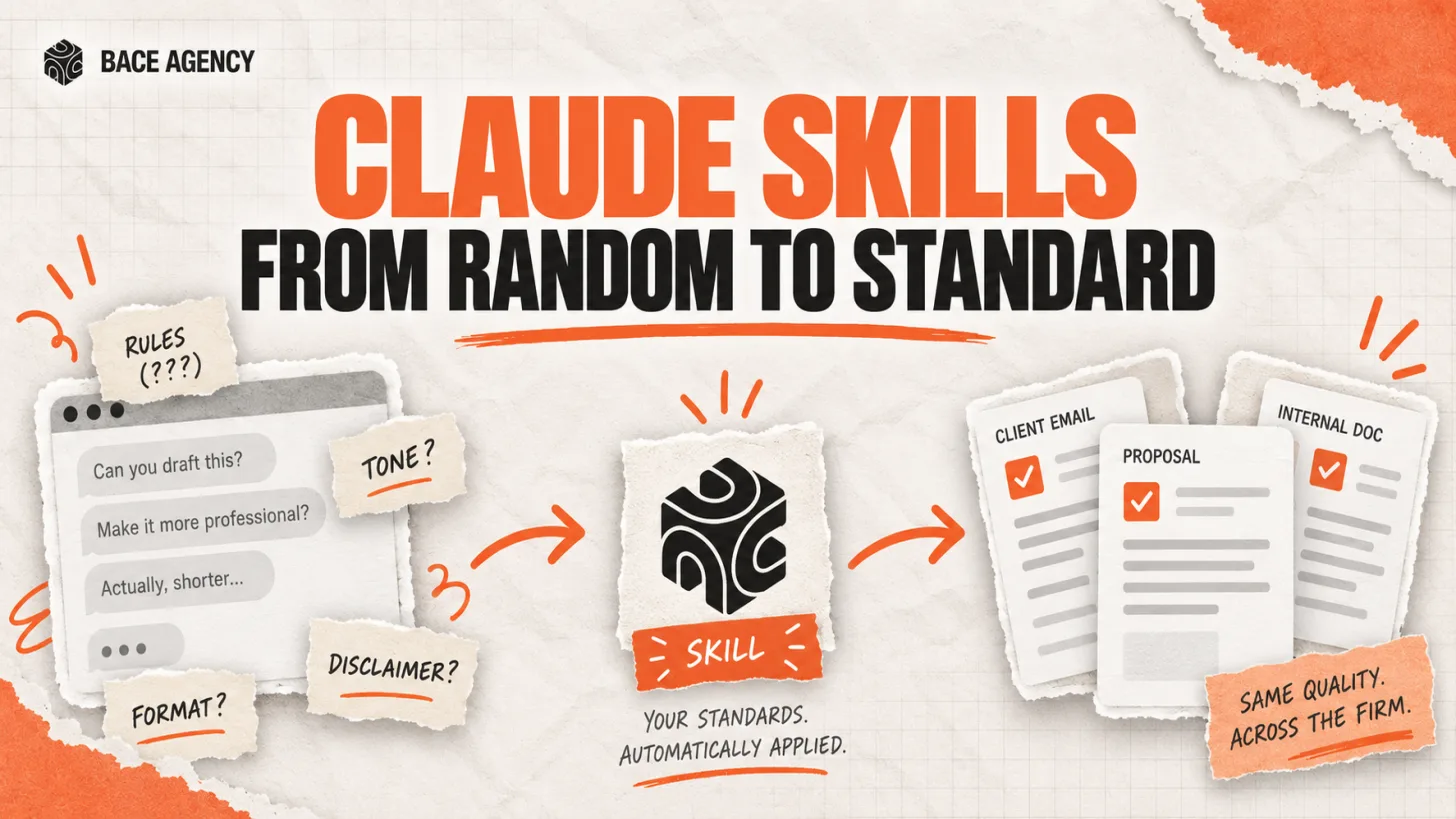
Claude Skills Give a Law Firm One AI Standard
One associate gets sharp drafts, another gets generic filler from the same tool. A Claude Skill turns one person's rules into a standard the whole firm can rely on.
Let AI Agents Handle Intake at Evanston Law Firms
Most Evanston firms still run intake on a phone and a Word template. The firms pulling ahead hand the whole new-matter pipeline to an agent, then review its work before anything reaches the client.

Oregon Federal Court Fines Lawyers $110,000 Over AI
Two lawyers were fined $110,000 for filing AI-invented case citations. The lesson is not to avoid AI. It is to verify it. Here is the workflow that prevents it.
About the author

Written by
Michael Pavlovskyi
Founder, Bace Agency
Michael builds custom Claude and GPT workflows for insurance agencies, law firms, and PE firms on Chicago's North Shore. Speaker at Northwestern and Lake Forest College on practical AI adoption for professional services.
Connect on LinkedInSee it in your firm
Book an audit.
A free 30-minute AI audit. No obligation, no pitch deck.
Book a free AI audit